|
| RESPIRA · 16 SEPTEMBER 2026 |
| One workspace for the work around every WordPress site. |
|
AER gives the operation a home. Murmur brings the people who review it into the loop. The security audit gives every route the same honest answer.
|
|
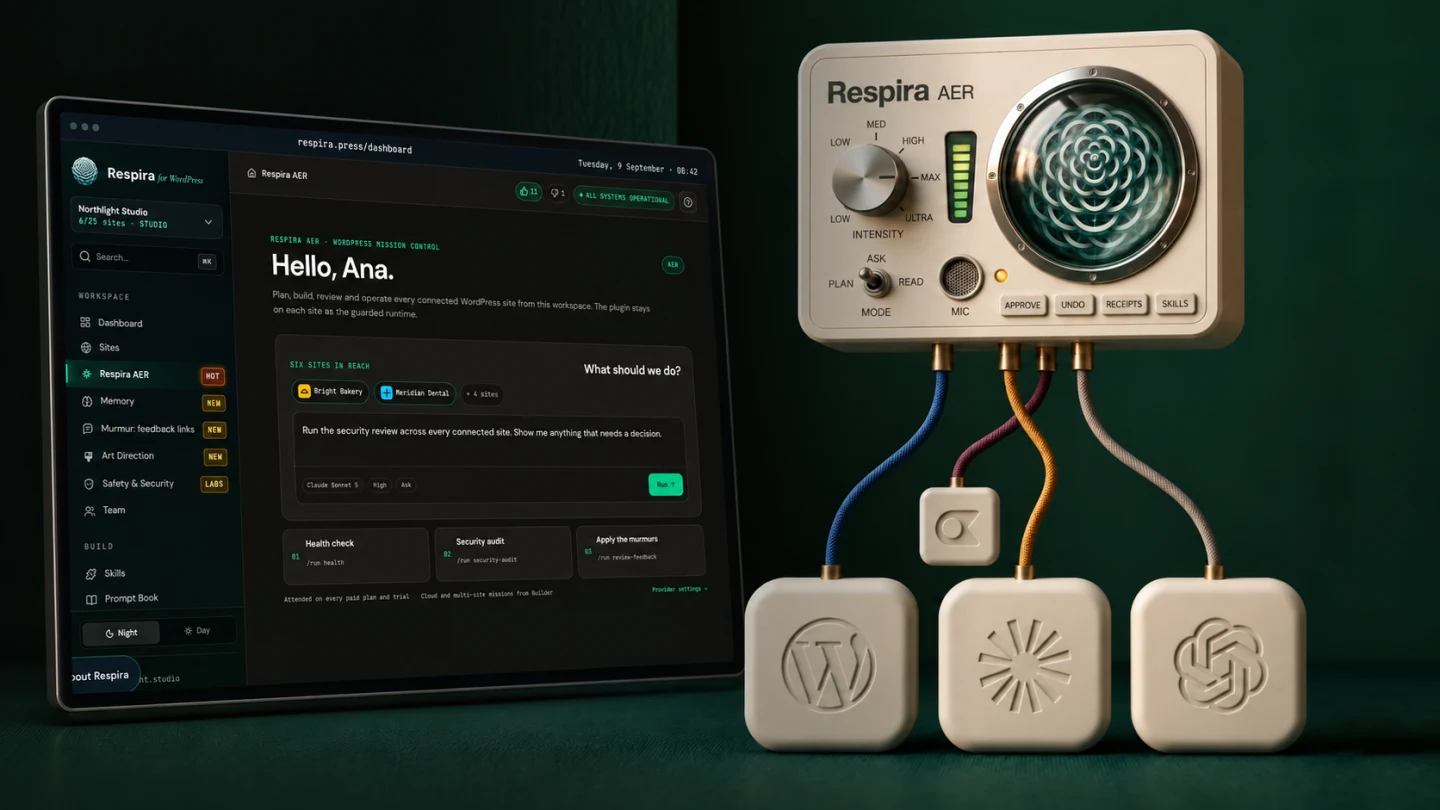
Respira AER is now the workspace in your Respira dashboard: plan, build, review and operate across the sites you run. Respira for WordPress 9.0 is the runtime installed on each site. It gives AER the builder-native tools, approvals, snapshots and receipts; it does not put another chat in wp-admin.
|
The four-minute build, in one run: a page designed in ChatGPT and eight pictures become native Divi 5 blocks, checked at desktop and phone width. Watch it and read the receipt.
|
|
01
Respira AER: the WordPress agent workspace.
One conversation can read a site, work in its real builder, move between sites, wait for approval and leave a receipt with a way back.
17 builders · 340+ tools and abilities in the full catalog, including the WooCommerce add-on. A site exposes only what it can actually run.
ATTENDED RUNS · EVERY PAID PLAN + TRIAL
CLOUD / MULTI-SITE · BUILDER 20 · BUILDER 10 40 · STUDIO 150 MONTHLY
ANNUAL · 1.5× · TRIAL · 20
See Respira AER · read the launch story · 9.0 release notes
|
|
|
02
Respira Murmur: let them point at the page.
Send one no-login review link. A client taps the page, types or speaks a note, and Respira carries it back to the right builder element. Work happens on a duplicate; the resolved note keeps its snapshot.
BUILDER · BUILDER 10 · STUDIO
PLUGIN 8.9.0+ · SPOKEN NOTES 8.9.2+
See Murmur · how it came to life
|

|
|
|
03
Security audit: one answer, whichever route you use.
Ask from the dashboard, AER or a direct MCP connection. Respira checks WordPress core, plugins and themes against the vulnerability database, names the fixed version and turns matches into a remediation plan.
It is on demand, not a scheduled monitor. If the database cannot be reached, Respira says that instead of calling the site clean.
EVERY PAID PLAN AND TRIAL · DASHBOARD, SECURITY (LABS)
See the scanner · the wp2shell lesson
|

|
|

|
|
A NOTE BETWEEN RELEASES
A piece of advice from Robert De Niro and Tom Hanks.
Not a product demo. Just the thought i kept beside me while building this release. Watch on YouTube.
|
|
What your plan carries.
AER cloud numbers are monthly. Annual plans receive 1.5× those allowances.
| PLAN |
AER |
MURMUR |
SECURITY |
| Maker | Attended | No | Yes, in Labs |
|---|
| Builder | Attended + 20 cloud | Yes | Yes, in Labs |
|---|
| Builder 10 | Attended + 40 cloud | Yes | Yes, in Labs |
|---|
| Studio | Attended + 150 cloud | Yes | Yes, in Labs |
|---|
| Trial | Attended + 20 cloud | No | Yes, in Labs |
|---|
|
|
AER is the Respira workspace. If Claude, ChatGPT, Codex, Cursor or another coding agent is already where you want to work, connect Respira MCP there instead. The conversation then stays between that agent, its provider and your WordPress site; Respira does not proxy the WordPress content.
|
|
Open Respira AER
|
|
Prefer your current AI client? Open the direct MCP setup. And if a plugin has ever asked you for an API key while you already pay for ChatGPT or Claude, this explains what is going on and what to do instead: Use the AI subscription you already pay for to work on WordPress.
|

|
Mihai
Brașov, Romania
|
|
