Release story March 12, 2026

Respira 4.2.0: The Refund That Made Everything Better

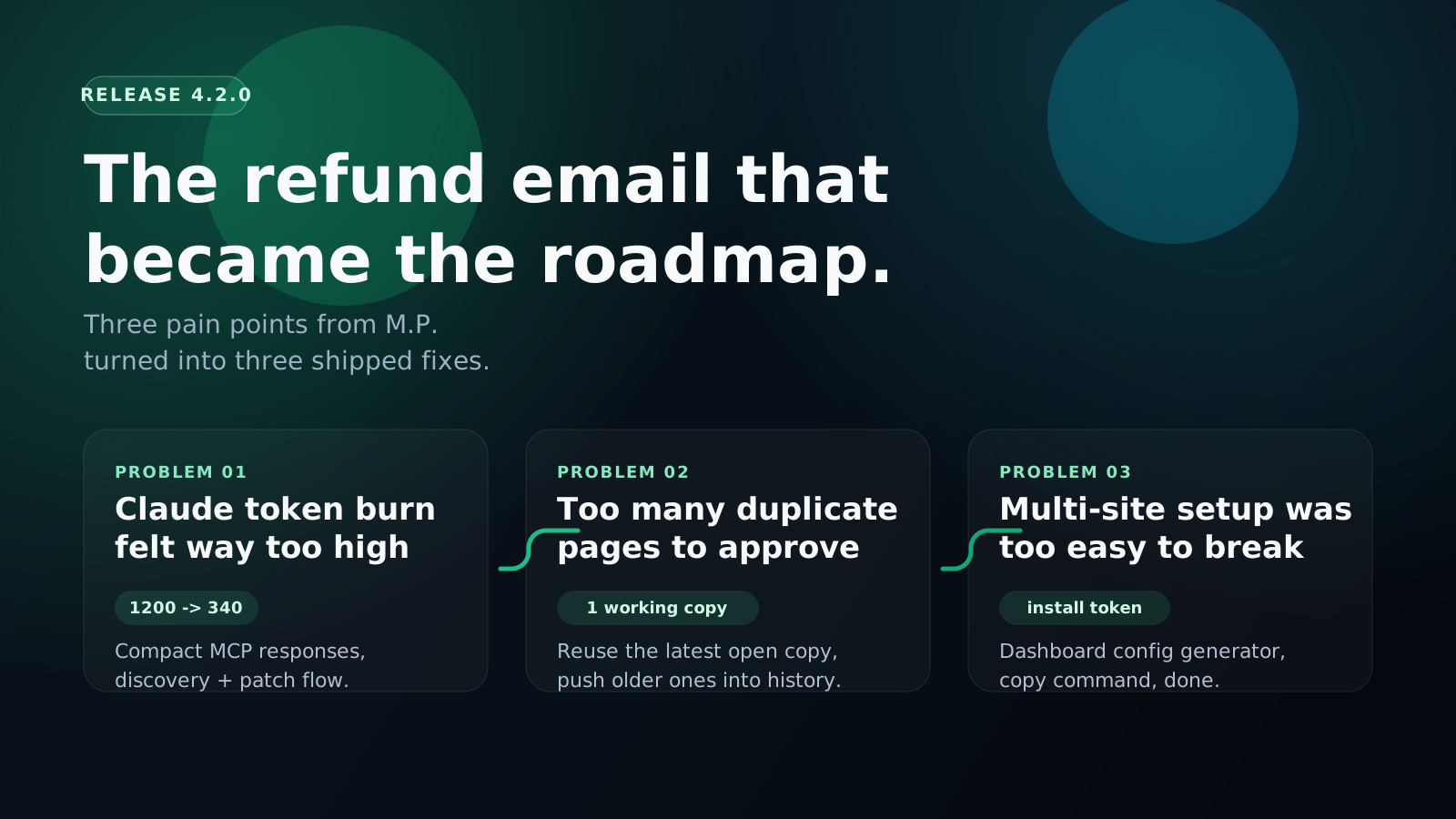
Three pain points from our first refund request became three major features. This release is dedicated to M.P., who gave us the feedback we needed to hear.

Plugin 4.2.0 MCP 4.0.0 Backward compatible
Paying customers now
46
Refunds before this email
0
Pain points called out by M.P.
3
Coordinated release
Plugin 4.2.0 + MCP 4.0.0
Three pain points from M.P. mapped to three fixes shipped in Respira 4.2.0.

Problem 1

Claude token burn

Shipped fix

Compact MCP responses by default

Problem 2

Duplicate approval mess

Shipped fix

Reuse the latest working copy

Problem 3

Multi-site setup friction

Shipped fix

Dashboard-generated install flow

The story

The product was not good enough yet. M.P. told us exactly where.

After roughly three months of operating Respira, we had 38 paying customers and zero refunds. Then the first refund request landed. That part stung. The useful part was the email itself.

M.P. was not vague. He was excited enough to try the product, specific enough to explain what broke his trust, and honest enough to ask for his money back when it was not working for him. That is the best kind of feedback: specific, actionable, and from someone who actually wanted the product to work.

He was right on all three points. We had optimized early versions of Respira for completeness and capability, but not enough for token efficiency, approval clarity, or multi-site setup sanity. So this release does not hide the miss. It starts there.

"Claude token usage is significantly higher than when working locally."

"The approval interface is hard to navigate: multiple copies of pages."

"Multi-site management is too complex: claude.json config and switch site don't work reliably."

Relevant excerpts from M.P.'s refund email, shared here with initials only.

Problem 1 to Fix 1

Claude token usage was way higher than it should have been.

M.P. was hitting Claude budgets faster than he would in a local workflow because early Respira responses were too verbose for common read and edit loops.

  • What M.P. experienced

    Verbose MCP responses were burning through Claude API budgets faster than local workflows.

  • Why it happened

    Early Respira favored completeness and full payload extraction over efficiency and response discipline.

  • What we shipped

    Compact, token-efficient MCP responses as the default path, with discovery plus patch flows instead of full payload dumps.

  • Benefit

    Typical WordPress editing workflows now land in the 60-70% token reduction range.

Before / after payload comparison

Same kind of edit, less junk in the wire

Example: ~1,200 tokens to ~340 tokens
Before 533 chars
{
  "page": {
    "id": 1842,
    "title": "Homepage",
    "status": "draft",
    "content": {
      "rendered": "<section class=\"hero\">...full HTML...</section>",
      "raw": "<!-- wp:group --> ... <!-- /wp:group -->"
    },
    "builder": {
      "name": "elementor",
      "payload": { "sections": [...], "widgets": [...], "styleTokens": [...] },
      "hash": "0f3b4e..."
    },
    "meta": { "seo": "...", "customCss": "...", "template": "default" },
    "links": { "edit": "...", "preview": "...", "approvals": "..." }
  }
}
After 334 chars
{
  "page": {
    "id": 1842,
    "title": "Homepage",
    "status": "draft",
    "builder": "elementor"
  },
  "summary": "Working copy ready. Three hero widgets updated.",
  "next_step": "Approve in Respira -> Page Approvals",
  "site": {
    "id": "client-main",
    "name": "Client main",
    "url": "https://client.example"
  }
}
The change is not magic. Reads stay narrow unless the client explicitly asks for heavy includes, and mutation responses now lead with the summary and next step instead of dumping everything back.

Problem 2 to Fix 2

The approval interface created too many copies and not enough clarity.

M.P. could not reliably tell which duplicate should be approved or which working copy actually had the latest changes. That is a workflow problem, not a user problem.

  • What M.P. experienced

    Multiple duplicates for one page, no obvious latest version, no clear approval target.

  • Why it happened

    Every edit round could create a new duplicate, even when a valid working copy already existed.

  • What we shipped

    Reuse the latest open working copy by default, plus grouped duplicate history instead of a pile of active lookalikes.

  • Benefit

    One clear approve-this action, with older duplicates pushed into history where they belong.

Approval UI comparison

Five active duplicates became one active working copy

Working copy reuse logic
Before Approval queue
Homepage_duplicate_1711 Edited 11:02
Homepage_duplicate_1715 Edited 11:11
Homepage_duplicate_1720 Edited 11:18
Homepage_duplicate_1728 Edited 11:26
Homepage_duplicate_1732 Edited 11:33

Which copy has the latest changes? Which one should be approved?

After One active path
Homepage working copy

Active duplicate reused for every new edit round

Approve this

Archived duplicate history

Homepage duplicate from 11:18 History
Homepage duplicate from 11:11 History
Homepage duplicate from 11:02 History
Under the hood, plugin 4.2.0 now resolves the current working duplicate first and only creates a new duplicate when there is no usable one to continue from.

Problem 3 to Fix 3

Multi-site management was too technical and too easy to misconfigure.

M.P. called out the part that agencies feel immediately: manual config edits, unreliable site switching, and not enough confidence about which site was active.

  • What M.P. experienced

    Manual JSON editing, unclear active-site state, and switch-site flows that did not feel reliable.

  • Why it happened

    Multi-site setup assumed too much technical comfort and left too much room for broken local config.

  • What we shipped

    Dashboard-generated all-sites config, installer commands with one-time tokens, and copy-paste AI setup prompts.

  • Benefit

    Zero manual JSON editing, automatic site detection, and new site context tools that make active-site state explicit.

Setup flow comparison

Manual config editing became a copy-command install

Dashboard as source of truth
Old path Manual config
{
  "mcpServers": {
    "respira-wordpress": {
      "command": "npx",
      "args": ["-y", "@respira/wordpress-mcp-server"],
      "env": {
        "WORDPRESS_SITE_URL": "https://client.example/wp-json/respira/v1",
        "WORDPRESS_API_KEY": "respira_...",
        "ACTIVE_SITE": "maybe-this-one"
      }
    }
  }
}
New path Installer command
npx -y @respira/wordpress-mcp-server \
  --install-config \
  --client codex \
  --install-token respira_install_...

Then ask the client what it sees:

  • wordpress_list_sites
  • wordpress_get_active_site
  • wordpress_find_builder_targets
The dashboard now owns the multi-site registry. Local clients get a generated config, a one-time install command, and site-token auth that can be rotated from the account side.

Closing

The refund still stands. The point was to earn the retry.

M.P. got his refund. No questions asked. The 30-day guarantee stands exactly as written. If Respira is not good enough yet, the right move is to give the money back and take the feedback seriously.

He also said he fully intended to come back and try it again in a few months. That mattered. This release is built to make that second attempt go differently: lighter responses, a cleaner approval flow, and a multi-site setup path that does not ask users to babysit config files.

This is how you build software that does not suck. You listen when someone tells you it sucks, you check if they are right, and if they are, you ship fixes instead of spin.

Also in the 4.2 week

The refund-driven fixes shipped alongside a broader reliability and infrastructure push.

This page focuses on the three problems M.P. called out because that is the honest center of the release. But the same week also brought a bigger cleanup pass across Respira: the skills ecosystem became a real product surface, Elementor got critical reliability hotfixes, agency licensing got less messy, and the admin side got better visibility into finance, approvals, and platform activity.

In plain English: 4.2.0 is not only the version that fixed the refund email. It is also the version where setup, approvals, browser AI, audits, and production reliability started feeling more like one coherent platform.

Feature 1

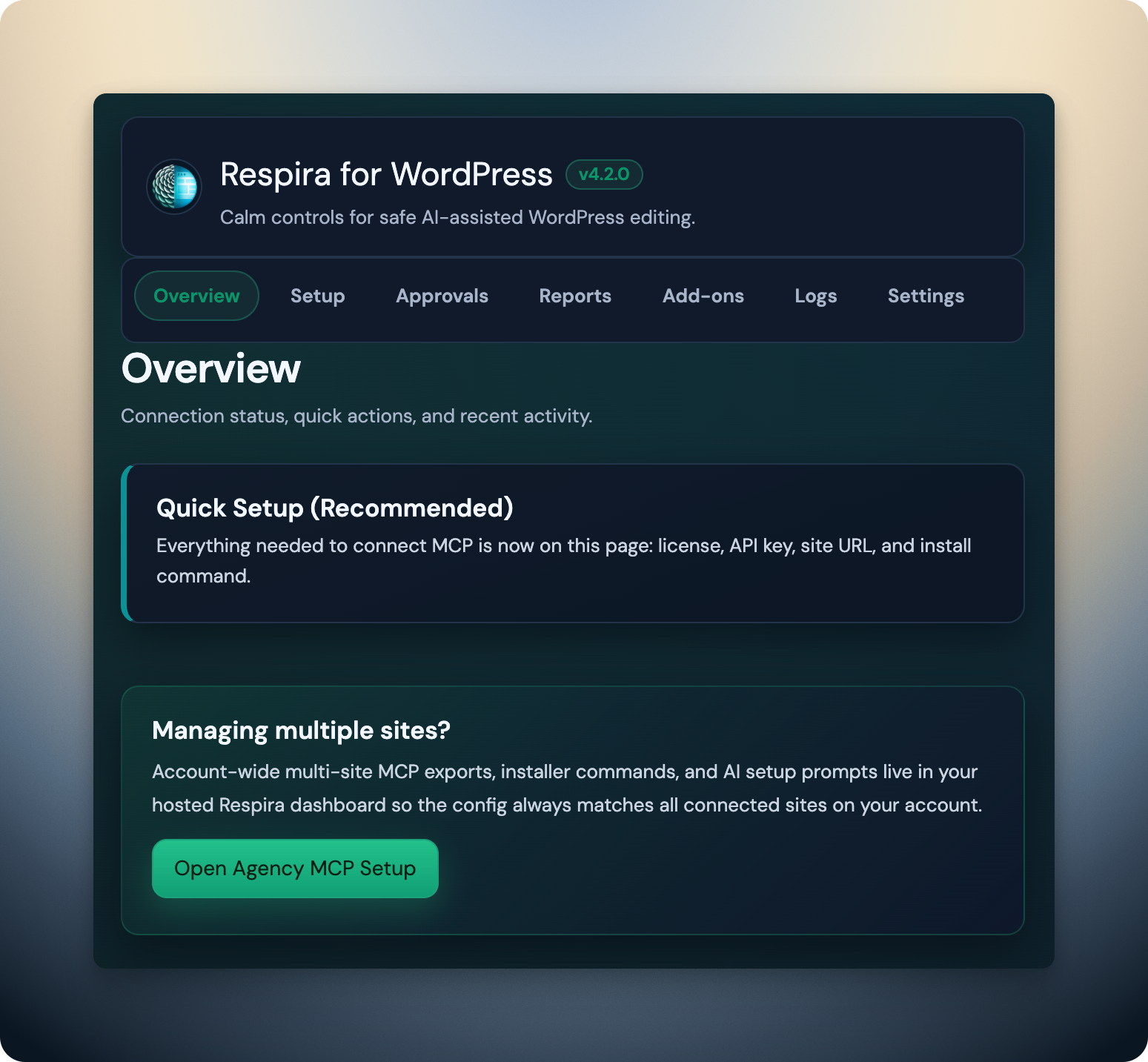
Agency MCP setup finally has a clean home

The hosted dashboard is now the source of truth for account-wide multi-site exports, one-time installer commands, and AI setup prompts. This is the practical fix for the setup confusion M.P. ran into.

  • Dashboard-generated all-sites config
  • One-time install token flow
  • AI setup prompts that match the real account inventory
Respira for WordPress 4.2 MCP setup overview screen.

Feature 2

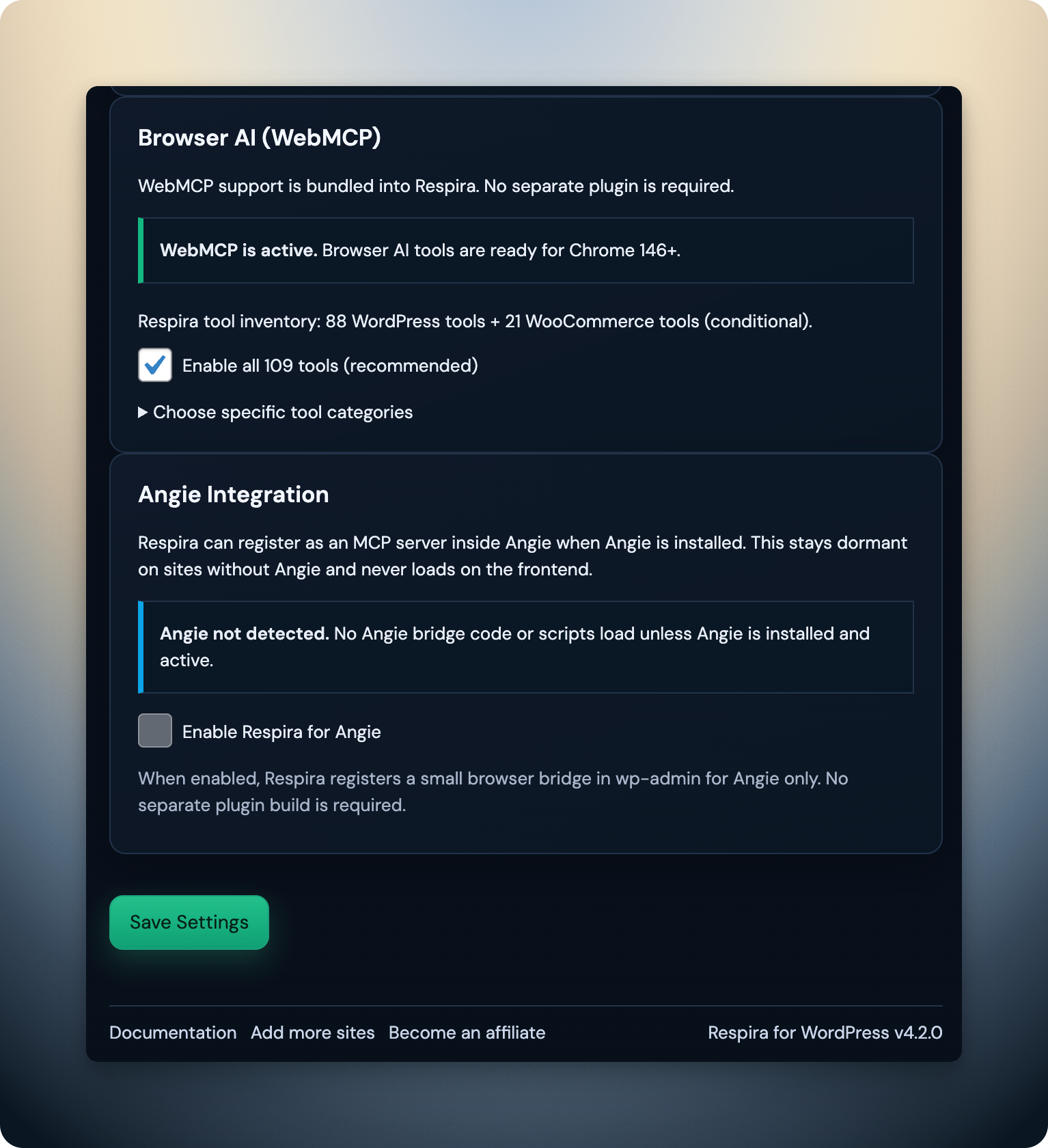
Browser AI is bundled, and Angie can plug in cleanly

Respira 4.2.0 bundles WebMCP directly in the plugin and adds an optional Angie bridge inside Elementor. Browser AI is ready without a separate WebMCP plugin install, and Angie stays dormant unless it is actually installed.

  • WebMCP bundled in the plugin
  • Optional Angie browser bridge for Elementor
  • No frontend load when Angie is not present
Respira WebMCP and Angie integration settings screen.

Feature 3

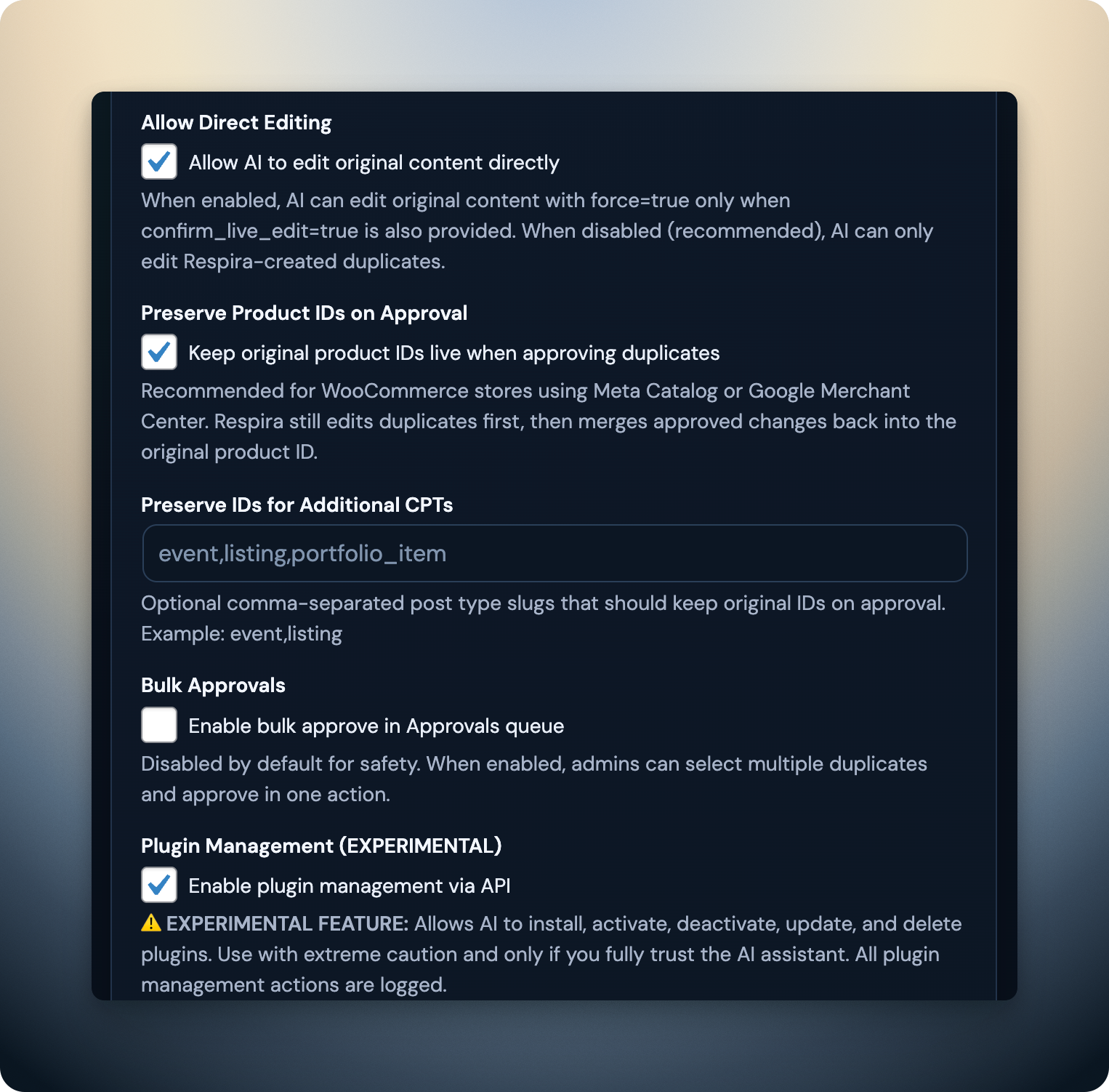
Approvals got better for stores and agency workflows too

The approval story in 4.2 is not just about fewer duplicate pages. WooCommerce approvals can preserve original live product IDs, bulk approvals are available behind a setting, and stacked-plan visibility is clearer for agency admins.

  • ID-stable WooCommerce approvals by default
  • Optional bulk approvals with per-item reporting
  • Cleaner stacked-license and admin visibility
Respira approvals settings showing preserve product IDs and bulk approvals.
  • Skills are now a real product surface

    Respira now has a full skills ecosystem led by WordPress Site DNA, plus Technical Debt Audit, WooCommerce Health Check, and Mobile Experience Report. Site owners and agencies can get AI-powered audits without local MCP setup.

  • Elementor reliability got a real hotfix pass

    Malformed, doubly escaped, and BOM-prefixed Elementor meta now gets extra decode retries and, when needed, a fallback through Elementor’s internal document API before Respira normalizes storage back to canonical form.

  • Admin, finance, and licensing are less opaque now

    Agency license deduplication, stacked-plan visibility, month-over-month finance metrics, and better client leaderboards make the platform side more usable for agencies actually running this in production.

  • Release plumbing is more production-safe

    Release feeds were hardened, PHP compatibility notices were added, old crash-prone artifacts were cleaned up, and packaged vendor constraints were kept PHP 7.4-safe so upgrades are less likely to surprise production sites.

Technical details

What shipped

  • Plugin 4.2.0 + MCP Server 4.0.0 coordinated release
  • Dashboard all-sites config generator
  • Installer commands with one-time install tokens
  • AI setup prompts for AI editors
  • Compact MCP responses as the default path
  • Working copy consolidation and reuse
  • Live vs duplicate preflight with explicit editTarget choices
  • Dashboard site token auth (respira_site_...)
  • New tools: wordpress_list_sites, wordpress_get_active_site, wordpress_find_builder_targets

Breaking changes

None

  • None. Existing plugin and MCP setups remain backward compatible.

Migration guide

What to do next

  • Existing setups continue working.
  • New multi-site setups should use the dashboard config generator instead of manual JSON editing.
  • Old WORDPRESS_SITE_URL is still supported, but docs now use WORDPRESS_URL.

How to upgrade

Update the plugin, then update the MCP server.

Plugin

WordPress Admin -> Plugins -> Update Respira for WordPress to 4.2.0

MCP Server

npx -y @respira/wordpress-mcp-server

# Or explicit version
npx -y @respira/wordpress-mcp-server@4.0.0

Multi-site config for new users

  1. Go to Dashboard -> MCP Setup.
  2. Generate the config from the account-wide inventory.
  3. Copy the installer command.
  4. Run it in the terminal.
  5. Confirm the site list inside your AI editor.

Existing multi-site users

  • Your current setup still works.
  • Migrating to the dashboard-generated config is optional, but easier to manage.
  • The docs now use WORDPRESS_URL, while older WORDPRESS_SITE_URL setups still keep working.

Dedication

"This release is dedicated to M.P., who gave us the specific feedback we needed to make Respira better for everyone. Your three pain points became our three biggest improvements. Thank you for being honest, for asking for your money back, and for saying you'd give us another shot. This one's for you."

Previous release

Before 4.2 fixed the workflow friction, 3.3 fixed the fidelity contract.

If 4.2 is the workflow-fix release, 3.3 is the fidelity-contract release: include-gated reads, snapshots with diff and restore, stale-base approval protection, and deterministic builder patching.