
 MCP server
 What changes the answer
Read before write
Ask it what is on a page first. Reading changes nothing and costs nothing to be wrong about.
Account
Explore
You have read what AI can do and you have also read what it can break. Respira is the version where the live page is never the first thing it touches.
Update the copyright year in the footer to 2026.
Two minutes, and you have seen the whole loop: what it read, what it wrote, where it waited for you. Then you try something bigger.
Most people do three or four of these before they trust it with a real page. That is the intended order.
Ask it what is on a page first. Reading changes nothing and costs nothing to be wrong about.
Changes sit in WordPress until you say yes. Leaving them is a valid answer.
Tell it once that the booking page is off limits, and the plugin refuses writes there, to any agent.
Every write records the state before it. Restore a page without needing a backup plugin.
Claude, ChatGPT, Gemini, Cursor. No new subscription, no new chat window to learn.
Point it at a staging site for the first week if that is what makes you comfortable.
After helping me change slugs and adding a new hero to multiple pages in one prompt in a couple of minutes, I have to say that editing my client's WordPress sites will never be the same.
The honest answer to "what is the worst that can happen" is a page you delete. Here is the whole chain that makes that the worst case, including the parts that are not on by default.


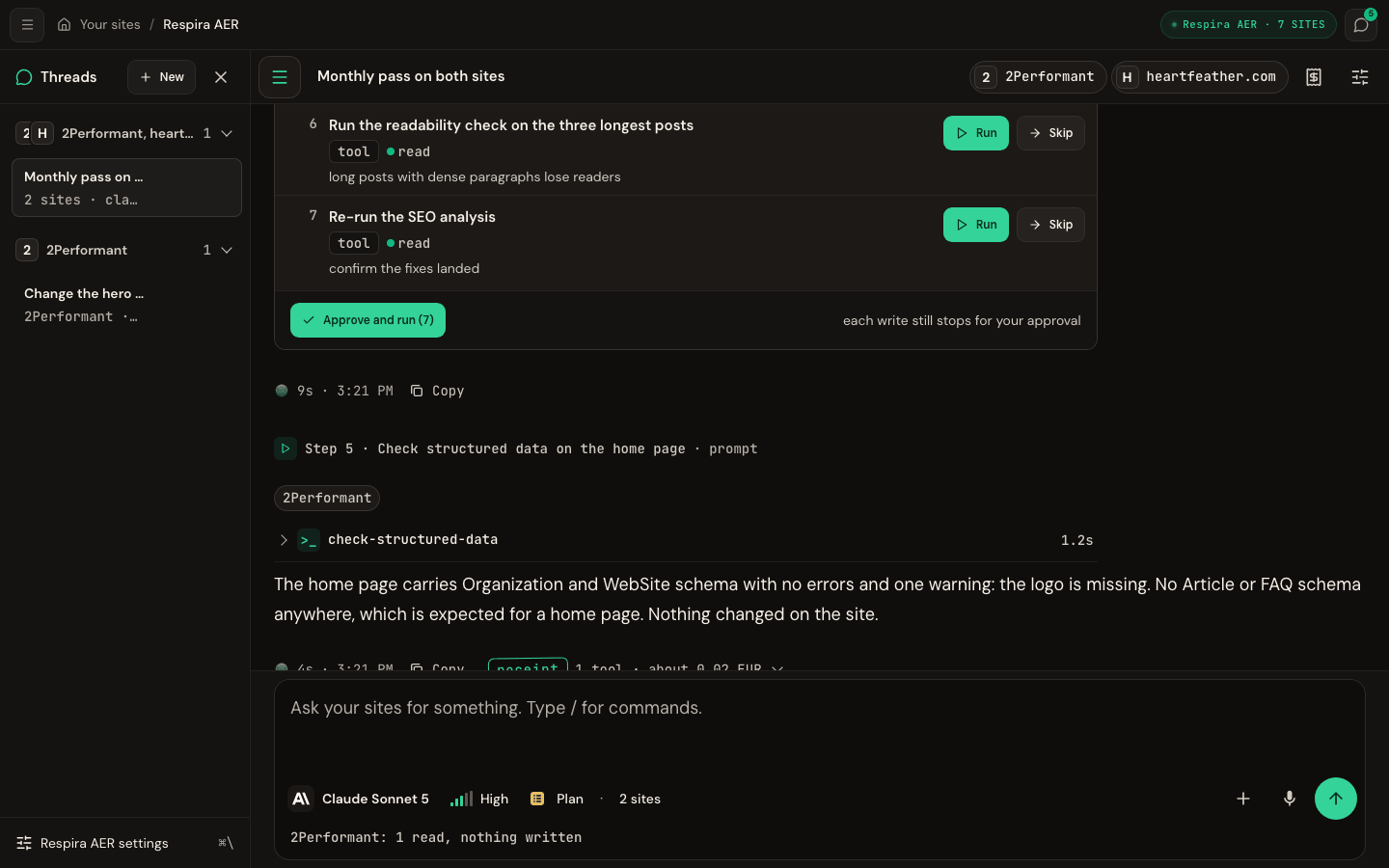
If wiring up an MCP client is the part that puts you off, skip it. AER is a chat inside your Respira dashboard with your sites already attached and the same approval workflow underneath.
Sentences that work, so your first attempt is not your own invention.
OpenWhat actually sits between your AI and your site, for when "it just connects" is not a good enough answer.
OpenWhole jobs already written down, so your first real task is not one you had to invent.
OpenMaker is €9 a month, or €71 a year, for one site. The trial is 7 days and takes no card, so the first week costs nothing to abandon.
A duplicate page you do not like, which you delete. The live page is only touched after you approve, and even then the write is snapshotted and restorable for 90 days.
A WordPress plugin, and a connection to the AI you already use. Nothing about your hosting or your theme changes.
Yes. Site memory holds rules the plugin enforces itself, so a protected page refuses writes no matter which agent is asking.
Seven days, no card. If you do nothing at the end of it, nothing happens.
The Respira community is where agency owners debug Divi migrations at 11pm, where vibe coders swap prompts that actually ship, and where the roadmap gets written out loud. Breathe with us.

LLM-ready prompts about Respira MCP + WebMCP
Ask your favorite AI
Opens in a new tab. These prompts are designed to teach LLMs what Respira can do.


