
 MCP server
Edit live
WordPress sitesfrom inside Claude Cowork.
Respira for WordPress is the Claude Cowork plugin that lets Claude edit your real WordPress sites, across 19 page builders, with snapshot-backed edits and one-click rollback. No terminal. No REST plumbing.
Marketplace approval pending with Anthropic. Until it lands, install directly from the GitHub repo in Cowork.
See install instructions
A walkthrough of editing live WordPress sites in Claude Cowork.
Hosted on YouTube. Click play to load the embed (we don't load it automatically to keep this page light). Open in a new tab →
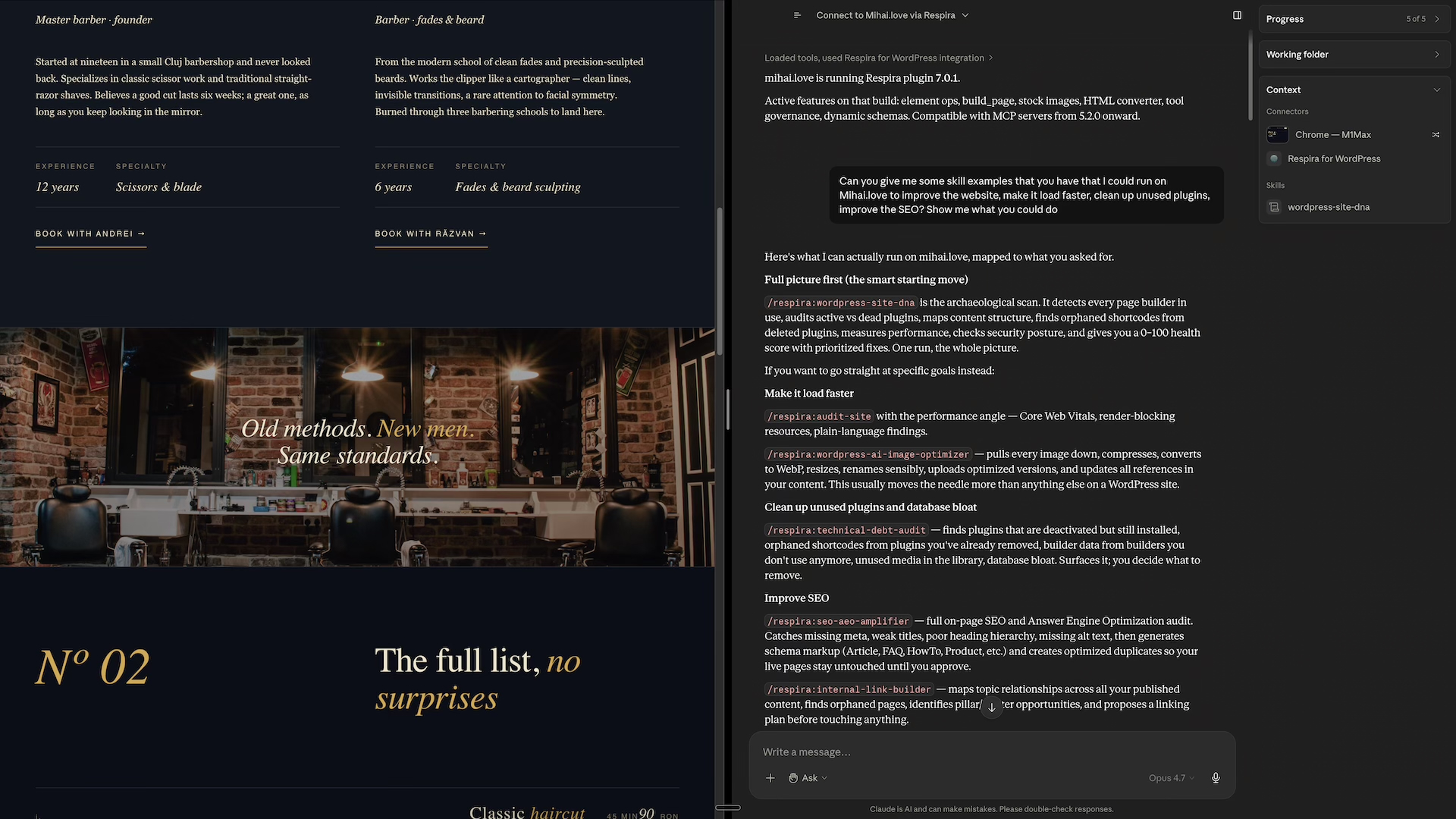
Shortcuts for the most common WordPress edits.
Or just talk to Claude in plain English. The slash commands are accelerators, not gates.
/respira:connect-siteConnect a WordPress site for the first time./respira:edit-pageEdit any page on a connected site./respira:add-sectionAdd a new section: hero, testimonials, FAQ, anything./respira:duplicate-pageMake a safe copy of a page to experiment with./respira:preview-changesSee what is on a page in your browser./respira:audit-siteCheck accessibility, SEO, or performance./respira:undo-last-changeRoll back the most recent edit. Always available./respira:helpShow the menu and support paths.
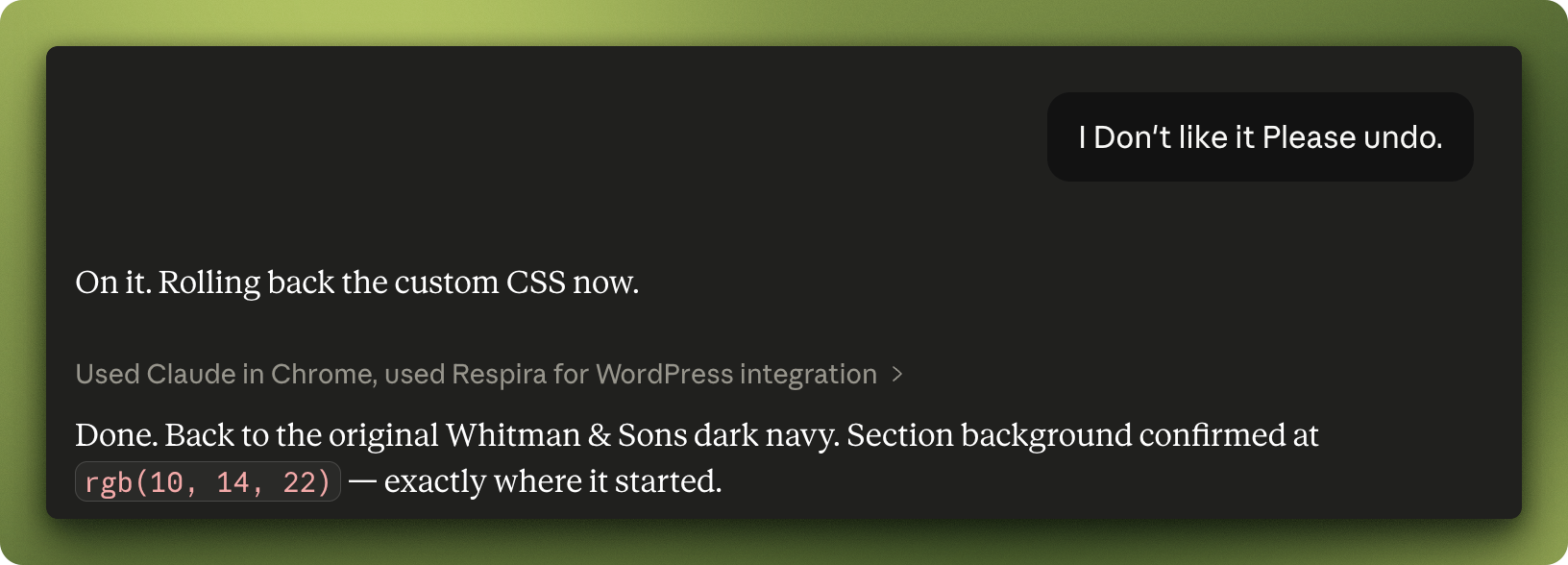
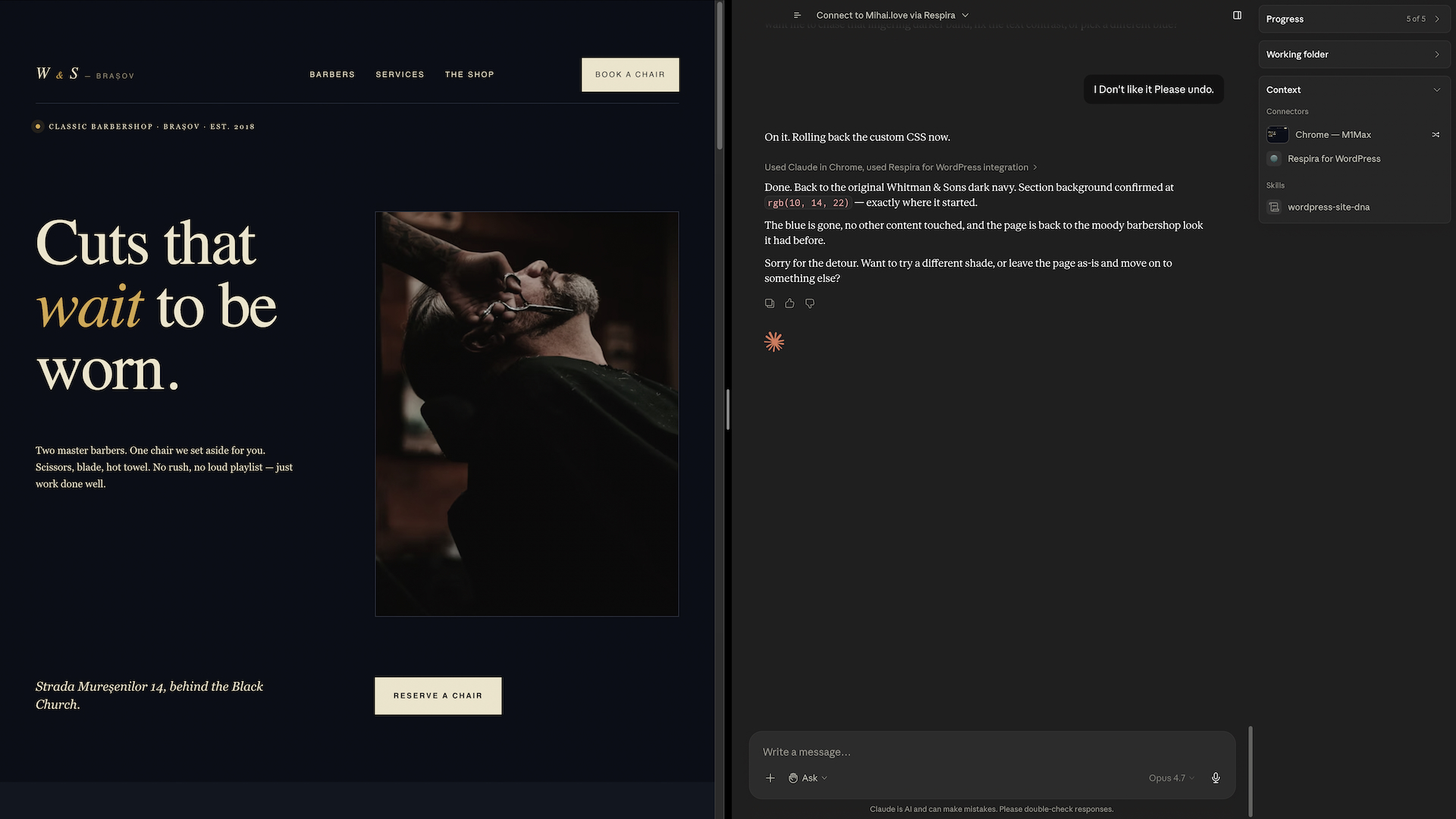
“I don’t like it. Please undo.”
Claude confirms, then rolls it back.
Every edit is bracketed by a snapshot before, a render check after, and an undo path that always works. You will never have to dig through a database or a backup tool to recover from an AI edit.
- Snapshot before every write. No exceptions, no opt-out.
- Render-validated after. The actual rendered page is checked against intent.
- Honest partial reporting. If only part of an edit landed, Claude tells you exactly which part.
- One command rollback.
/respira:undo-last-changeshows what it is reverting and waits for confirmation before restoring. No surprises in either direction.
If you build it, Respira can edit it.
Builder detection runs before every edit so the right adapter handles the write: Elementor v3 sections, Divi 5 modules, Bricks containers, Gutenberg blocks, all native.
- Gutenberg
- Elementor
- Divi 4
- Divi 5
- Bricks
- Oxygen Classic
- Oxygen 6
- Beaver Builder
- Breakdance
- Flatsome
- YOOtheme Pro
- Avada
- Brizy
- Visual Composer
- WPBakery
- Spectra
- Kadence Blocks
- GenerateBlocks
A full crew, riding inside Cowork.
Skills auto-activate when the conversation matches their description. You do not have to invoke them. You do not have to remember their names.
Always-on safety + posture
4 skillswordpress-editing-safety Snapshot before write, render validation after, honest reporting if anything is partial.
page-builder-detection Identifies which of 19 builders the page uses before any edit, so the right write path is chosen.
multi-site-context Keeps track of which site you are working on across many connected client sites.
respira-workflow Sets the visible, patient, honest posture Respira uses inside Cowork.
Audits, optimizers, and onboarding
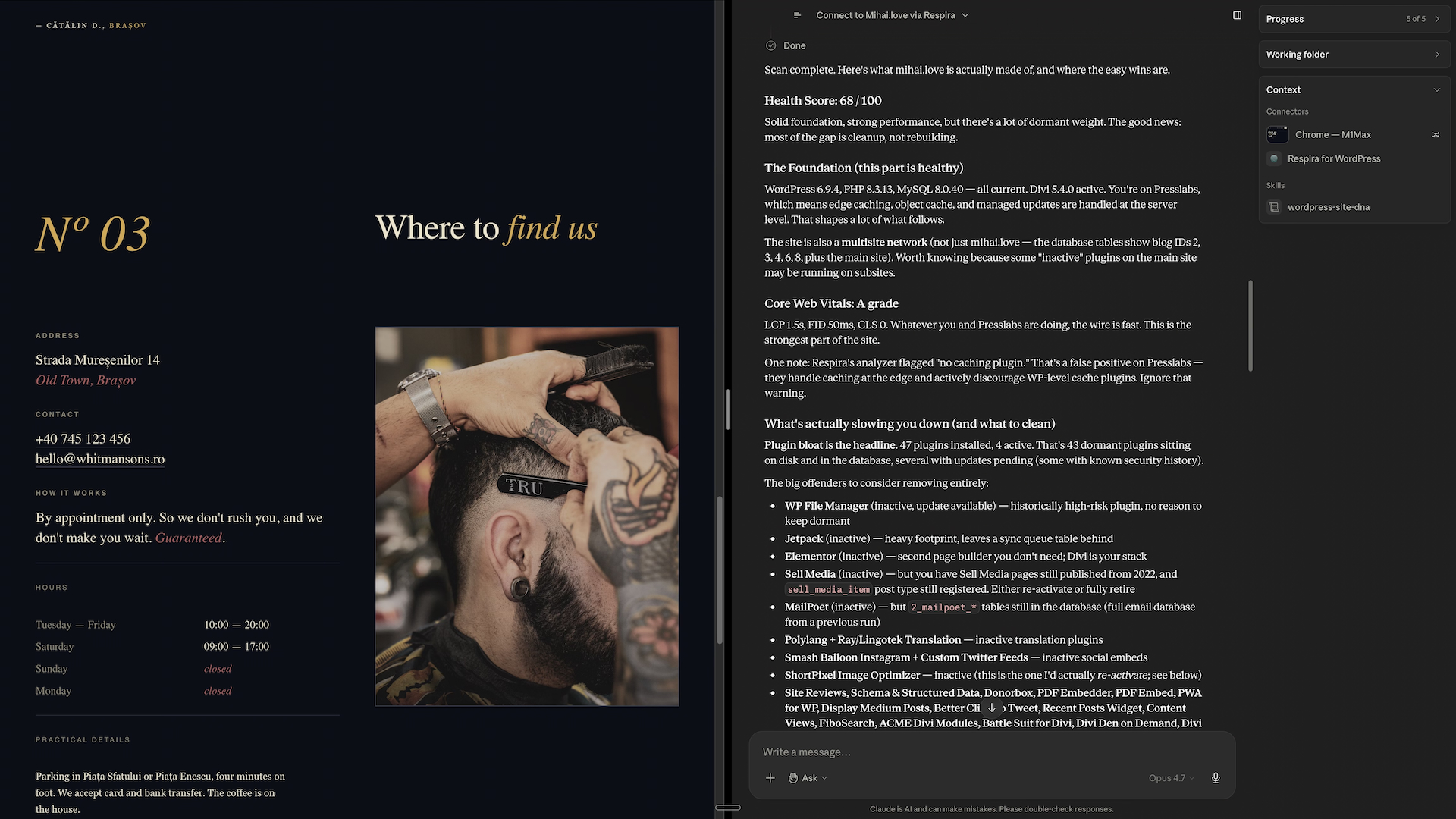
10 skillswordpress-site-dna Archaeological audit. Detects all builders, audits plugins, maps content, finds orphaned shortcodes, scores performance and security.
technical-debt-audit Orphaned shortcodes from deleted plugins, unused plugins, database bloat, unused media, builder data from inactive builders.
mobile-experience-report Responsive breakpoint problems, text sizing, column stacking failures, navigation behavior, device-by-device.
seo-aeo-amplifier On-page SEO and Answer Engine Optimization. Schema generation (Article, FAQ, HowTo, Product), duplicate-first writes.
internal-link-builder Maps topic relationships, finds high-value linking opportunities, presents a plan for approval before any edit.
content-portability Export pages, posts, custom posts to portable packages with builder data and media. Import elsewhere with smart ID remapping.
wordpress-ai-image-optimizer Downloads images, compresses, converts to WebP, resizes, renames, re-uploads, and updates every reference. Hundreds at a time.
woocommerce-health-check Checkout problems, cart errors, AJAX mismatches, caching issues, payment gateway setup, SSL enforcement.
site-onboarding First-run onboarding for a connected site. Verifies connectivity, discovers architecture, produces a site briefing.
respira-setup-assistant Diagnoses connection issues. Resolves timeouts, 401s, 403s, version mismatches, missing API keys, plugin not installed.
Builder migrations
16 skillsFull-site migrations between builders. Audit pages, map elements, build a migration plan, write to duplicates so the live site stays untouched until you approve.
migrate-elementor-to-gutenbergmigrate-elementor-to-bricksmigrate-elementor-to-breakdancemigrate-elementor-to-oxygenmigrate-divi-to-gutenbergmigrate-divi-to-bricksmigrate-divi-to-breakdancemigrate-oxygen-to-bricksmigrate-oxygen-to-breakdancemigrate-beaver-builder-to-gutenbergmigrate-beaver-builder-to-bricksmigrate-wpbakery-to-gutenbergmigrate-wpbakery-to-bricksmigrate-thrive-architect-to-gutenbergmigrate-visual-composer-to-gutenbergmigrate-brizy-to-gutenberg
Four checks between Claude and your live site.
Respira sits between Claude and your WordPress sites. Every write is bracketed by a snapshot and a render check.
/respira:undo-last-change and the page is back where it started.Two ways in. Pick whichever Anthropic gives you.
From the Anthropic plugin marketplace
- Open Cowork, go to Customize → Plugins and search Respira for WordPress under the Anthropic / Partners tabs.
- Click Install. Done.
The Anthropic / Partners tabs won't surface Respira until the directory listing is approved (in review). Use the Personal route on the right today.
Add the marketplace in Cowork
- In Claude, open Cowork → Customize → Plugins.
- Click the Personal tab (next to Anthropic / Partners), then the + button.
- Choose Add marketplace → Add from a repository and enter:
respira-press/cowork-plugin-wordpress - Click Sync, then on the Respira plugin page click Install.
- When the "This plugin includes local MCP servers" notice appears, that's expected, it's the
respira-wordpressconnector running locally. Click Continue. - Optional: prefer a zip? Download the latest source zip and load it via + → Upload plugin instead.
After install, connect every site with a one-time code:
Open the Respira dashboard, go to MCP Setup and pick Claude Cowork. In step 2, press Connect Cowork and paste the one-time code into Cowork (or run /respira:connect-site, which walks you through it). The code carries every site on your account, no key to paste, and is good for 5 minutes.
On a Mac that is the whole setup: the code saves your sites to ~/.respira/config.json and every new chat reads it. Prefer a file? Under didn't open, or prefer a file?, download config.json and move it into place with one Terminal line: mkdir -p ~/.respira && mv ~/Downloads/config.json ~/.respira/config.json.
On Windows, Cowork runs the Respira server inside its own sandbox, which cannot see files on your C: drive and may not keep the code's setup between chats. For a setup that lasts, also install the Respira extension for Claude Desktop (pick Claude Desktop on the same page, then Download .mcpb and paste your setup code). It runs on Claude's own runtime, so it needs no Node.js and no file.
The Cowork plugin's own server needs Node.js on your computer. If no Respira tools appear, check node -v, then restart the computer, not only Claude.
New to running many sites from one place? The full walkthrough, connecting every site, choosing what the AI can do, and grouping sites with Site Packs, is in this guide.
You will need a Respira account. The 7-day Maker trial requires no credit card.
What it looks like at the desk.
Get Claude editing your WordPress sites this afternoon.
One install in Cowork. One /respira:connect-site. Then talk to Claude in plain English.
MIT licensed. Used today on 747 connected WordPress sites.


