
 MCP server


Respira for Yoast SEO
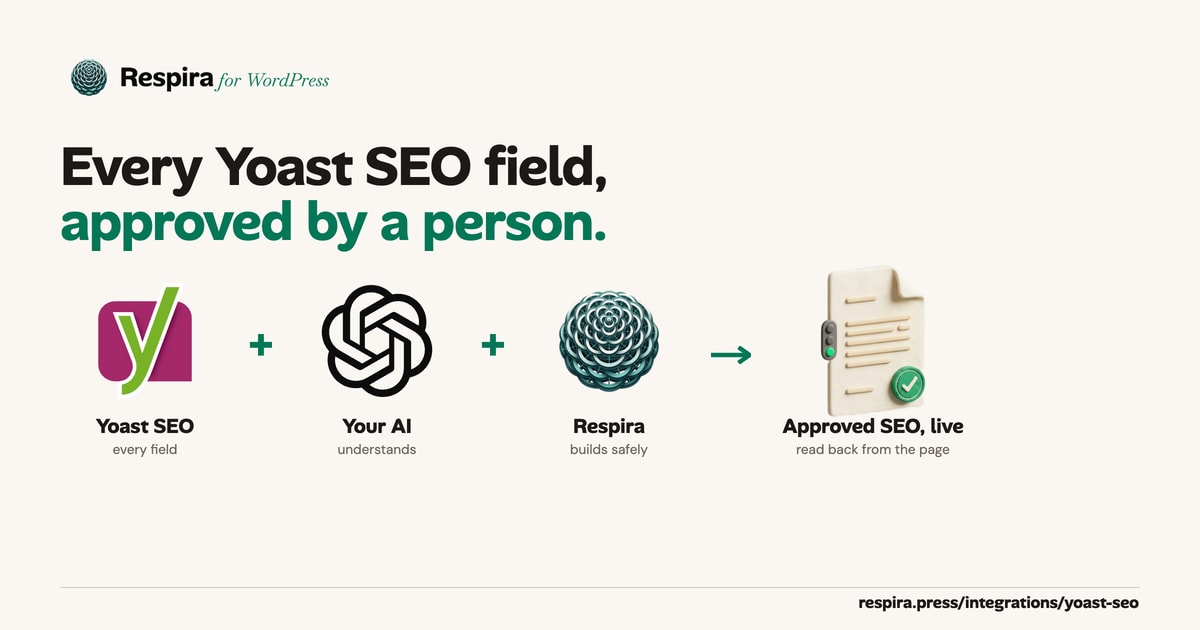
Your AI sets every Yoast SEO field. A person approves it before it goes live.
Titles, meta descriptions, focus keyphrases, robots, social cards, schema and primary categories, written through Yoast's own ability and APIs so its index and sitemaps stay in step. Every change lands on a draft copy, and each field is read back on the live page after approval. Works with Claude, ChatGPT, Cursor, Codex or any MCP client.
Every field in the Yoast boxWritten through YoastDraft first, approved by a personApproval bound to the version seenRead back on the live pageUndo restores SEO fieldsTerms and Search Appearance
Respira MCP
Yoast SEO detected
Prompt
"Rewrite the meta descriptions on my 10 service pages, keep them under 155 characters, and send me approval links."
Respira
10 drafts ready, one per service page. Each new description is under 155 characters and was read back from Yoast. Each approval link publishes only the version you see.
Every field
Everything in the Yoast box, on posts, pages and custom post types.
Search result
- SEO title
- Meta description
- Focus keyphrase
- Canonical URL
- Breadcrumb title
Robots
- noindex: on, off or the post type default
- nofollow
- noimageindex
- noarchive
- nosnippet
Social
- Open Graph title
- Open Graph description
- Open Graph image
- X title
- X description
- X image
Images by media library image or by URL.
Schema and structure
- Cornerstone
- Schema page type
- Schema article type
- Primary category
- Primary term of any hierarchical taxonomy
Yoast SEO Premium
- Related keyphrases
- Keyphrase synonyms
Written only when Premium is active, refused with a clear error otherwise.
A value Yoast would refuse, such as an unknown schema type, a missing image, a primary category the post does not have, or a Premium field without Premium, refuses the whole call before anything is written.
From draft to live
Draft. Approve. Check live. Undo if needed.
1. Draft
The change lands on a draft copy
On a published page Respira writes to a draft copy. Fields go through Yoast's own update ability where Yoast registers it (Yoast SEO 28 on WordPress 6.9 and newer) and through Yoast's meta API otherwise. Yoast's indexable, primary terms and sitemap cache are rebuilt at once, and every field is read back.
2. Approve
A person approves the version they saw
Approval is bound to the draft as it was on screen. If the draft changed after that, its SEO fields included, nothing is published and the answer says so. No override skips this check.
3. Check live
Each field is read back on the live page
After approval, every SEO field the draft carried is read from the live page, including the Yoast table the front end renders from. A field that did not land turns the approval into an error that names it, never a success.
4. Undo
Snapshots include the SEO fields
Every write takes a snapshot first, and the snapshot records which SEO fields it covers. A restore puts them back exactly, removes a Yoast field added after the snapshot, and says if any field did not come back.
Beyond the post editor
Yoast's own view, term SEO and site-wide templates.
Yoast's own view of a page
The title and description as Yoast prints them with its templates applied, robots, canonical, social cards, schema types and breadcrumbs. Also the SEO, readability and inclusive language scores, internal links in and out, and whether the XML sitemap lists the page, and why not.
Categories, tags and custom taxonomies
Title, description, focus keyphrase, canonical URL, breadcrumb title, noindex, cornerstone and social fields for any term, through Yoast's term API. A snapshot comes first, the term's indexable and sitemap are rebuilt, and every field is read back.
Search Appearance
The title and description templates, noindex per post type, taxonomy and archive, the schema defaults and the separator, through Yoast's options API. A change shows on every page of that type, so it waits for your confirmation, can run as a dry run first, and takes a snapshot.
Crawl cleanup, llms.txt, representation
Crawl cleanup, the llms.txt mode and page list, website name, logo, social profiles, the default social image and an author's noindex, through Yoast's options API, each read back after a person confirms. Changing the logo clears the cached copy the schema reads, so the new one shows at once. A snapshot comes first.
A safe homepage switch
Over the API Yoast keeps the old address as the new homepage's canonical. respira_switch_front_page rebuilds what Yoast stored for both pages, sets noindex on the old one, purges caches, then requests both pages and reads the canonical and robots they print. If they are wrong, the answer says so, with the undo in it.
SEO checks on what Yoast renders
The SEO analysis tools read what Yoast prints for the page, templates applied, and add Yoast's scores, focus keyphrase, schema types and noindex state, so a report matches what search engines receive.
Yoast SEO Premium
Related keyphrases and synonyms are written when Premium is active. Premium redirects are listed and stay read only: Premium's redirect manager is not public code, so I have not written through it. New redirects go through the Redirection plugin, or Respira's own list.
Listed only where Yoast runs
The Yoast tools appear only on a site with Yoast SEO active, on the site's own MCP endpoint and in the npm server, so an agent never sees tools for a plugin the site does not run.
For regulated teams
A Publish only key: drafts and SEO, nothing else.
Made in Settings, API keys on the site. Like every key made there, it belongs to that site only and can be revoked there. Both the site's own MCP endpoint and the npm MCP server list only the tools it may call.
It can
- Draft changes on duplicates of published pages
- Make previews to share for review
- Set SEO fields on drafts of pages, posts and custom posts
- Read everything Yoast knows about a page
- Publish through approval, bound to the version a person saw
- Roll its own drafts back from their snapshots
It cannot
- Install, change or remove plugins
- Create or change users
- Change themes or site settings, Yoast Search Appearance included
- Edit a live page directly, or change a post's status
- Delete pages, posts or media
- Force an approval
- Change category or tag SEO, which goes live at once
- Restore snapshots of live pages, terms or site settings
Yoast tools
Four Yoast tools, plus the seo field on every page write.
respira_get_yoast_seo Everything Yoast holds and prints for a page, post, custom post or term: stored fields, the rendered head, scores, internal links and sitemap status. With no id, the site's Yoast setup.
respira_update_yoast_term_seo A category, tag or custom taxonomy term's Yoast fields through Yoast's term API, with a snapshot first and every field read back.
respira_get_yoast_search_appearance The title and description templates, noindex per post type, taxonomy and archive, the schema defaults and the separator.
respira_update_yoast_search_appearance Changes those settings through Yoast's options API after you confirm. A dry run shows each value before and after and writes nothing.
The seo field on page writes
respira_update_page The seo field writes every Yoast field of a page, on its draft copy when the page is published.
respira_update_post The same for posts, the primary category included.
respira_update_custom_post The same for any custom post type, with the primary term of its hierarchical taxonomies.
The four Yoast tools need Respira for WordPress 9.2.10 or newer. See every tool in the catalog
Example
One request, ten drafts, one approval each.
- You
"Rewrite the meta descriptions on my 10 service pages, keep them under 155 characters, and send me approval links."
- Your AI, through Respira
Reads each page's Yoast view with get_yoast_seo, writes the new descriptions with update_page onto draft copies, and reads each one back from Yoast. The live pages are untouched.
- Respira
"10 drafts ready, one per service page. Every new description is under 155 characters and stored by Yoast. Here are the approval links."
- You, in the approval link
The preview shows the draft and its new description. Approve publishes that exact version. If someone changed the draft after you opened it, you are asked to reload instead.
- Respira
"Approved. The new meta description is live on /services/seo-audit, and Yoast prints it in the page head."
Try prompts like these
Rewrite the meta descriptions on my 10 service pages, keep them under 155 characters, and send me approval links.Show me what Yoast prints for the pricing page, and why it is not in the sitemap.Mark the three guides as cornerstone content and set their schema to FAQ page.Set the pricing page to noindex while I rework it.Give each blog category a Yoast title and description that match its posts.Add an Open Graph image and an X title to every case study that has none.Change the page title template to "%%title%% %%sep%% %%sitename%%" after I confirm.Restore the homepage SEO fields to how they were before the last change.
Limits
What it does not do.
- Yoast's SEO, readability and inclusive language scores are computed by Yoast's editor when a page is saved there. Respira reports them as Yoast last stored them and does not recompute them, so after a Respira write they describe the version last saved in Yoast's editor.
- Yoast SEO Premium redirects are read, never written. New redirects go through the Redirection plugin or Respira's own list.
- Yoast's XML sitemap settings, breadcrumb settings and site representation are not written. Change them in Yoast.
- Related keyphrases and synonyms follow Premium's stored format and have not been tested on a Premium site yet.
- A category, tag or other term has no draft: its change is live on the archive at once, with a snapshot first.
Yoast SEO, through Yoast
SEO changes your AI drafts and a person signs off.
Every Yoast field, written the way Yoast writes it, approved on the version you saw, and checked on the live page. Start free, no credit card.
Other SEO plugins Respira works with: Rank Math, All in One SEO, SmartCrawl. All integrations
Respira is not affiliated with, endorsed by, or sponsored by Yoast BV. Yoast SEO is a trademark of Yoast BV.