
 MCP server
The AI operating layer for WordPress
Tell WordPress what you need. Respira does the work.
Connect a site once. Work from Respira AER in the dashboard, or connect Claude, ChatGPT, Codex or another AI agent over MCP. Ask for the outcome; Respira makes the WordPress change and keeps the previous version ready to restore.
- 17 page builders
- 340+ tools
- 90-day rollback
- AER or your AI, your choice
One site or 250. Everyday edits or developer workflows. The same clear request, approval, and receipt from start to finish.
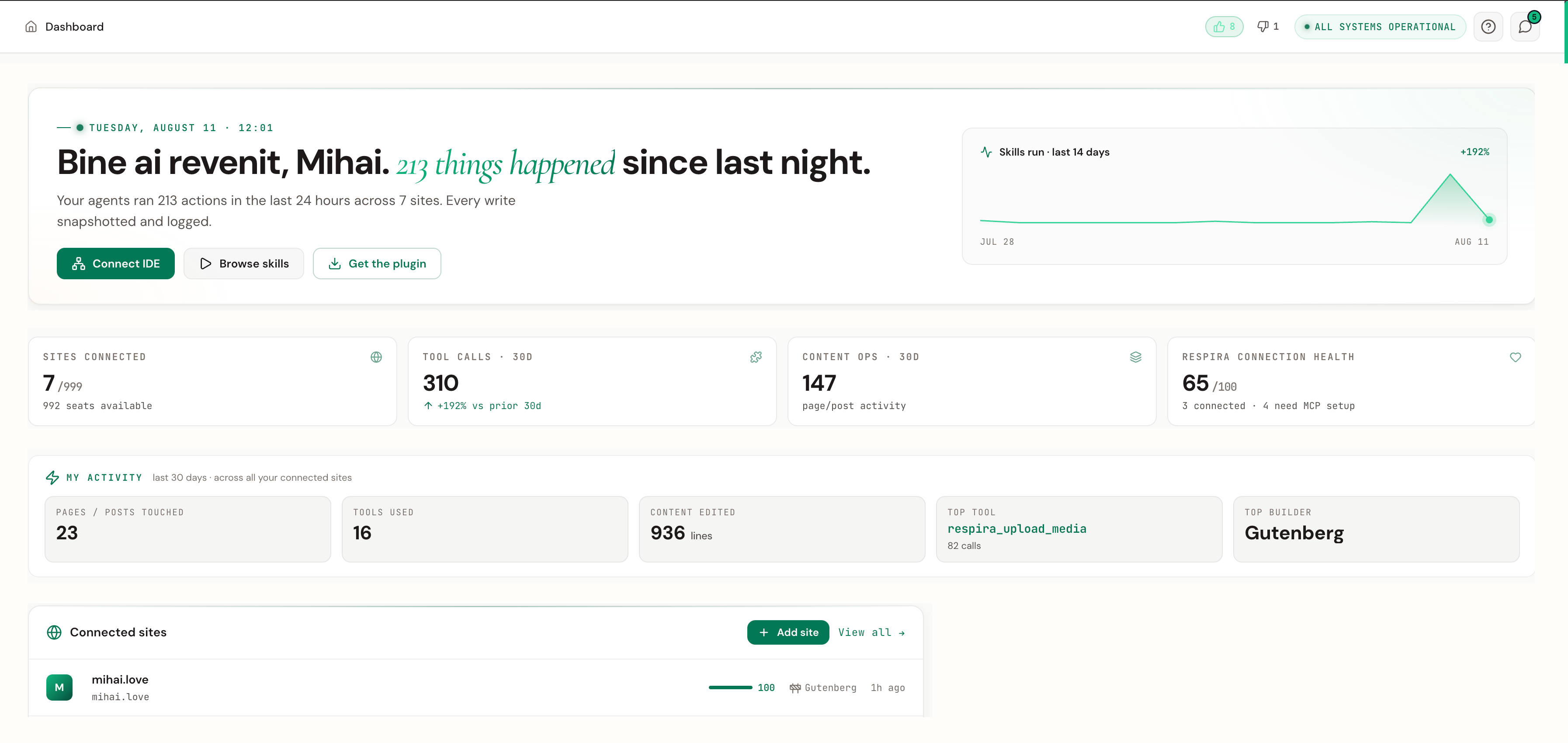
Tell your AI what you want changed
You describe the change in your own words. Respira gives your AI 340+ safe, purpose-built tools to actually make it happen on your live site, then shows you exactly what it did.
For agencies: one conversation replaces a ticket queue.
340+ tools · works from Claude, ChatGPT, Cursor and 10 more apps
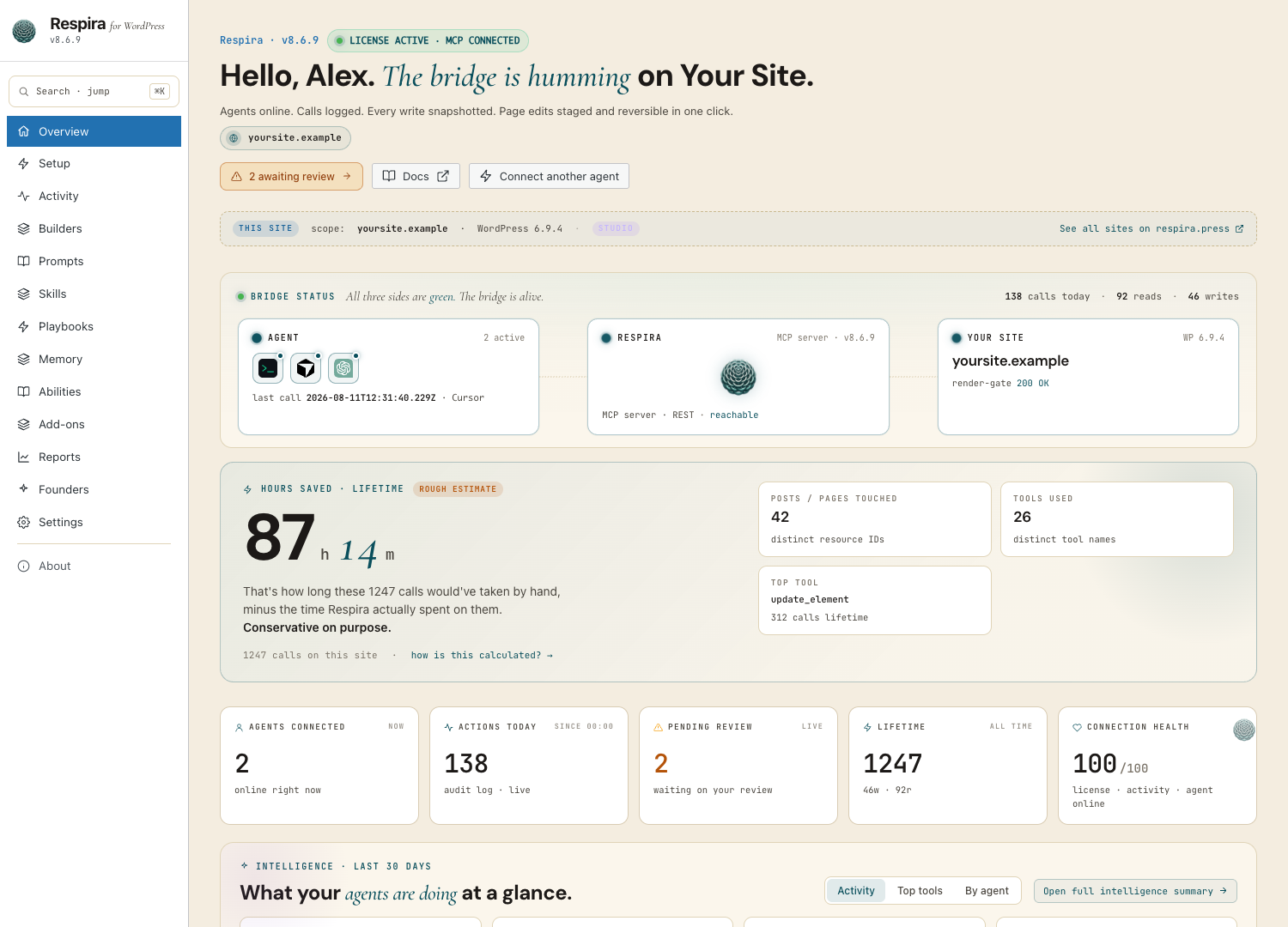
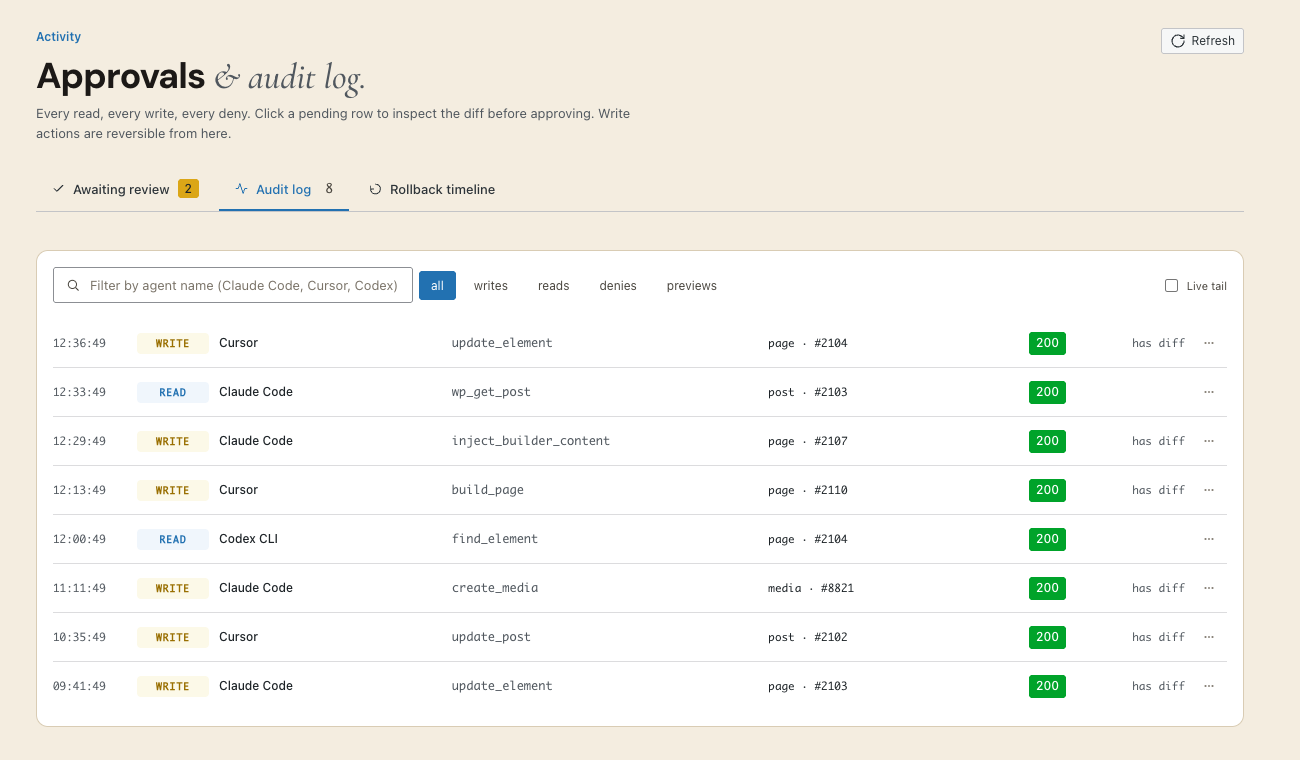
Plan, build, review and operate every site from one place.
AER lives in the Respira dashboard. Choose one WordPress site or a fleet, ask once, and keep the thread, plan, preview, approval and receipt together. Respira for WordPress 9.0 is the site-side runtime that gives AER builder-native tools and enforces each site’s safety rules.
For agencies: one chat connected to every client site, while each site keeps its own builder, memory and guardrails.
Attended single-site runs on every paid plan and trial · cloud and multi-site missions from Builder
Meet Respira AER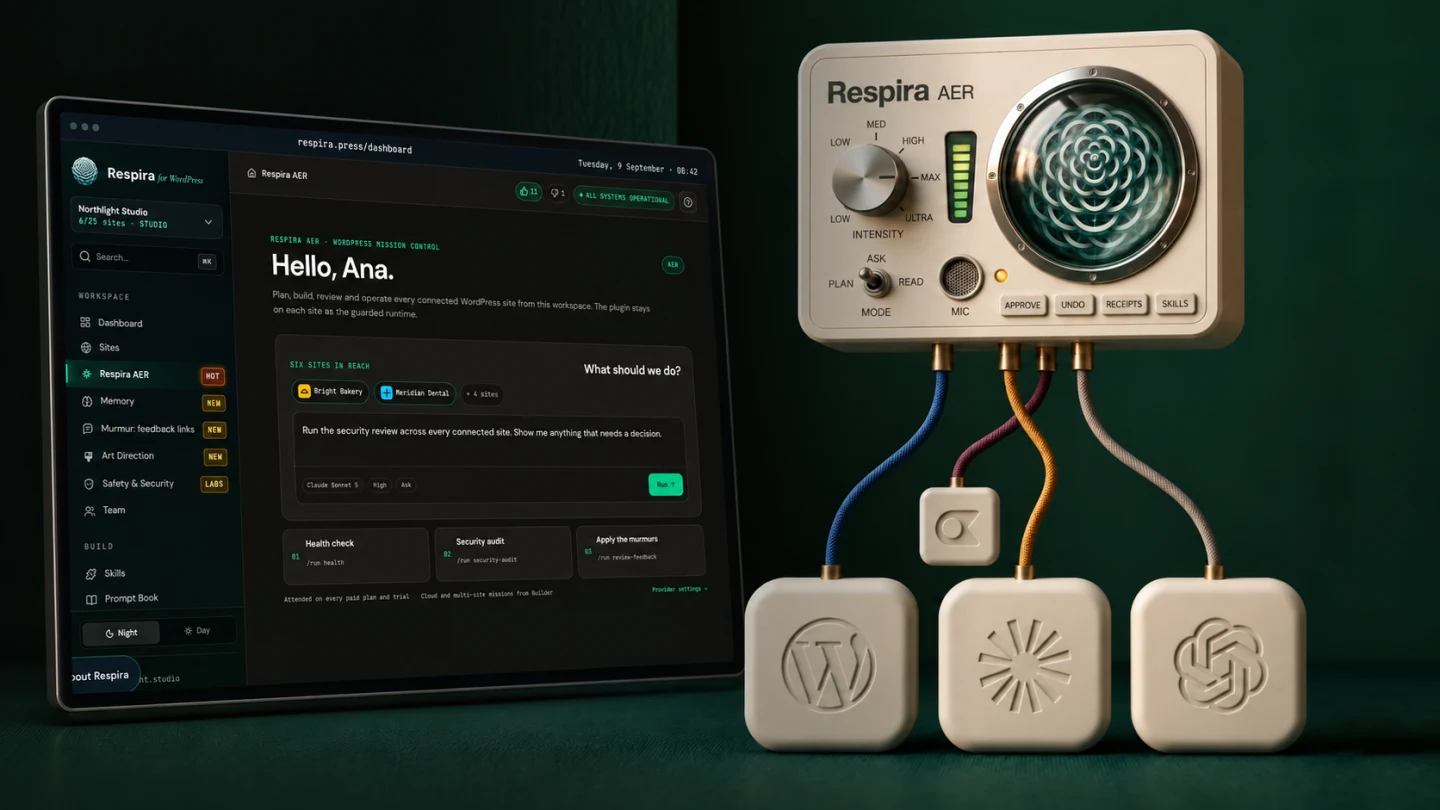
One WordPress connection. Your choice of AI.
Respira uses MCP, the open standard that lets AI assistants connect to software. Choose an assistant, connect Respira once, and it receives the same scoped WordPress tools, approval gates, snapshots, and audit trail. Change assistants without rebuilding the connection to every site.
For agencies: your team can use different AI apps without creating different WordPress workflows.
One connection standard · one approval system · your choice of AI
Explore Respira integrations Claude Desktop + web
  Claude Cowork
  Claude Code
  ChatGPT web
  Codex + OpenAI desktop
  Cursor
  Conductor
  Antigravity
  OpenCode
  Viktor · Slack + Teams
  n8n
n8n  Hermes Agent
  Any MCP client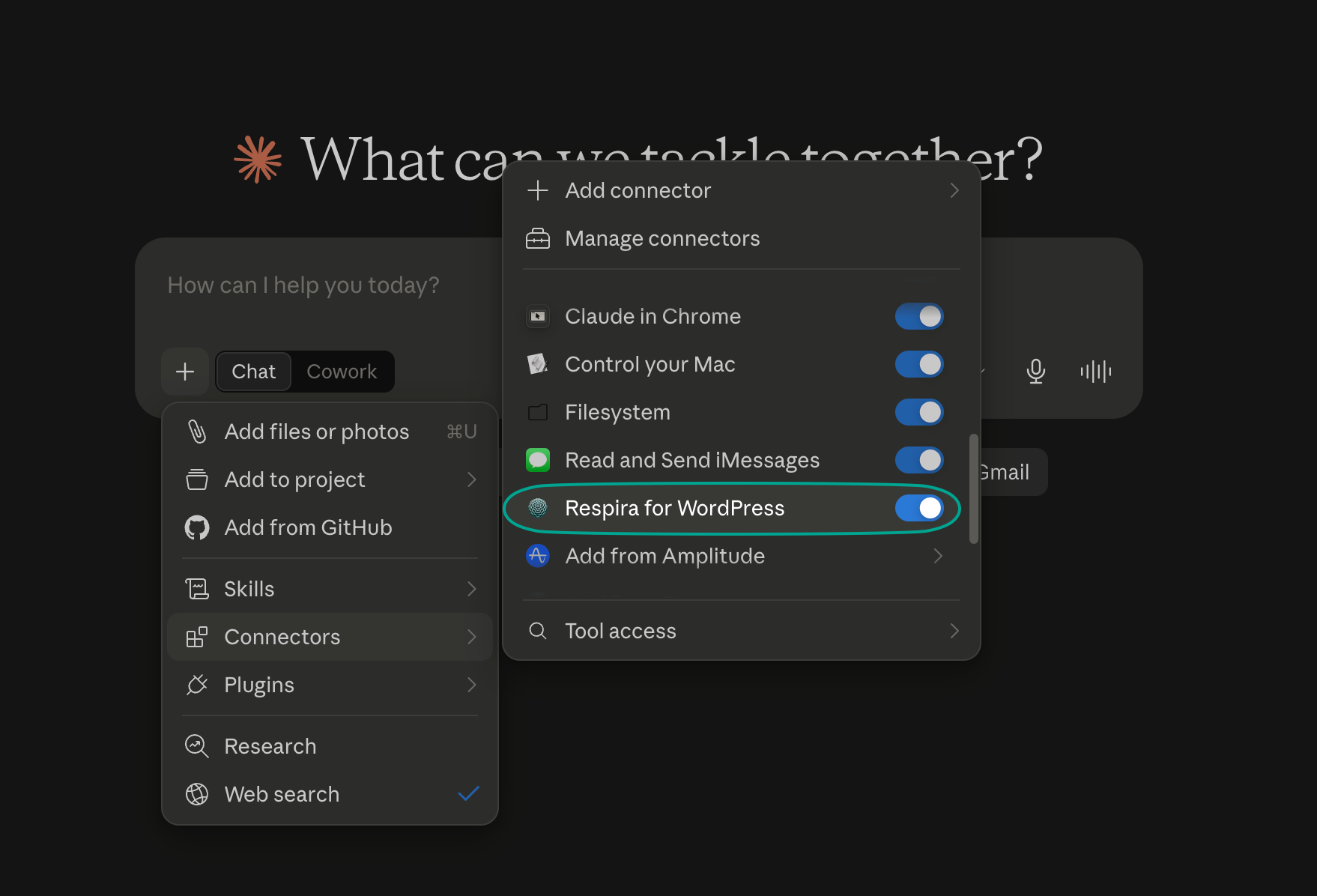
WebMCP: Respira’s tools inside the page.
WebMCP is the open standard for pages that offer tools to the browser itself. Open your site in the ChatGPT App Browser, or in Chrome with WebMCP enabled, and Respira’s abilities are already there: the agent stages a duplicate, waits for your approval, and rolls back if you change your mind, on the page you are both looking at. Every staged draft returns a login-free preview link you can send to anyone.
For agencies: a client watches the change happen on their own page, then clicks a preview link. No dashboard training.
340+ on-page abilities · staged drafts · login-free previews
Read the WebMCP story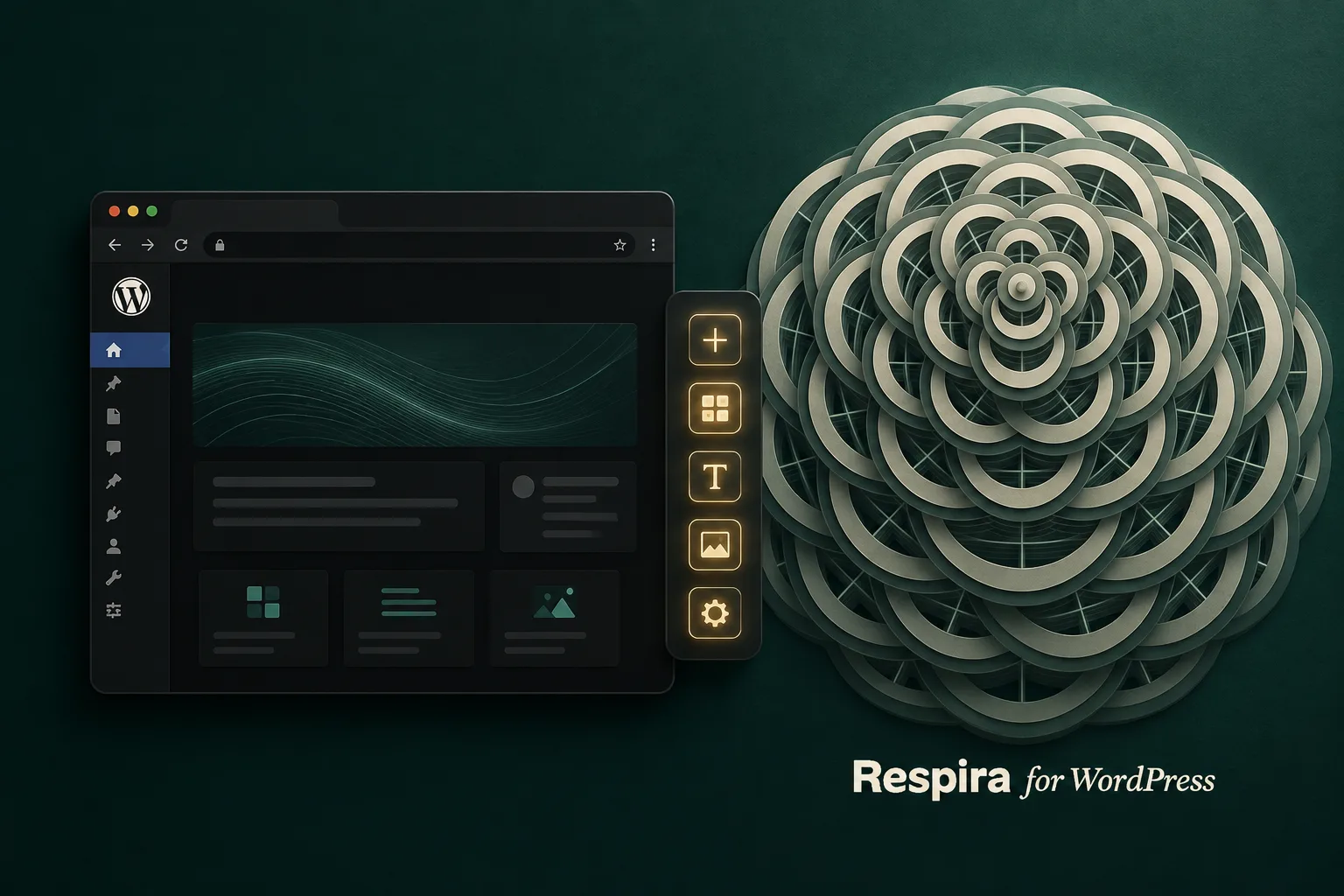
17 page builders. Native, not generic.
Elementor, Divi, Bricks, Gutenberg, WPBakery and 12 more. Respira speaks each builder's own language, so edits land exactly where a human would put them, not as raw HTML bolted on top.
For agencies: every client stack you inherit is already supported.
17 builders · WooCommerce add-on with 104 store tools
See all supported integrations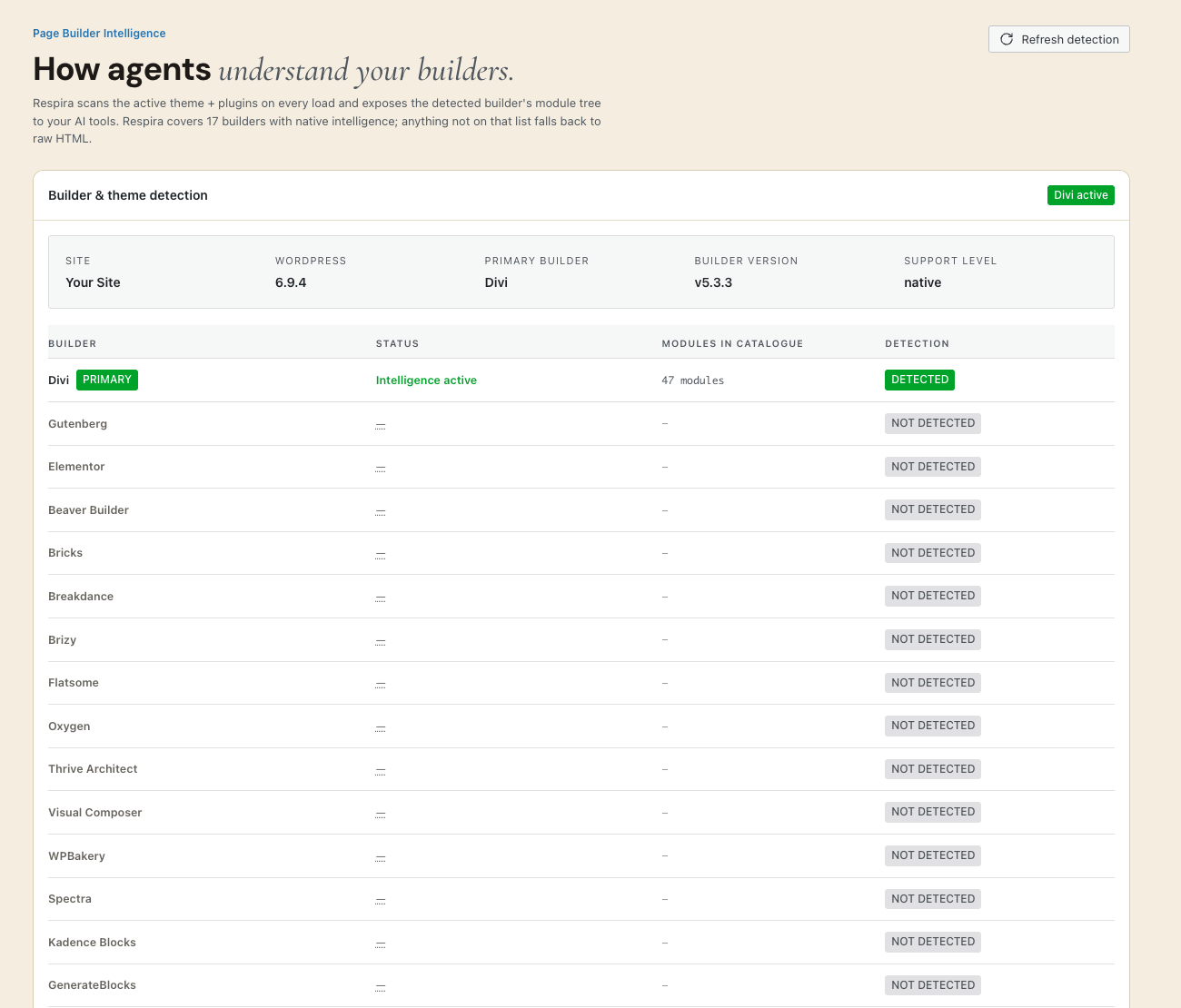
Snapshot first. Edit second.
Before it touches anything, Respira duplicates what it is about to change. You preview, approve, and roll back up to 90 days later. It is an AI with an undo button, and it is the reason you can let one near a client's live site.
For agencies: this is what makes AI safe on production.
Duplicate-before-edit on every write · 90-day rollback
Read more about safe WordPress changes A clean verdict needs a current source.
Respira checks WordPress core, plugins and themes against the live vulnerability database, then names the affected version, the fixed version and the next safe step. Run it from the dashboard, AER or a connected AI agent. If the source cannot be reached, the result stays unknown; Respira never turns missing data into a clean bill of health.
For agencies: scan the fleet, open an evidence-specific remediation path, then rescan and hand the client the receipt.
Core, plugins and themes · fixed versions · explicit unknown state when the database is unavailable
Explore the WordPress vulnerability scanner
Every site you manage, one connection
Connect all your WordPress sites to one account and address them by name in a single conversation. Give each client a scoped view of only their sites. The dashboard is the command center, not a settings page you visit once.
Plans scale by sites, 1 to 250. Seats bill only in the months they work.
Up to 250 sites on one plan · SitePacks for client-scoped access

Your team and your clients, on one account
Four seats separated only by reach. An admin sees every site. An editor edits the sites you scope to them through site packs. A client is pinned read-only to their own site and nothing else. The same limit binds the AI they connect, so a client's agent cannot write even when it is asked to.
For agencies: give each client their own site and nobody else's, from one bill.
Owner free · your first client seat free · editors €5/mo, admins €10/mo, and only in months a seat worked
Read more about teams and client access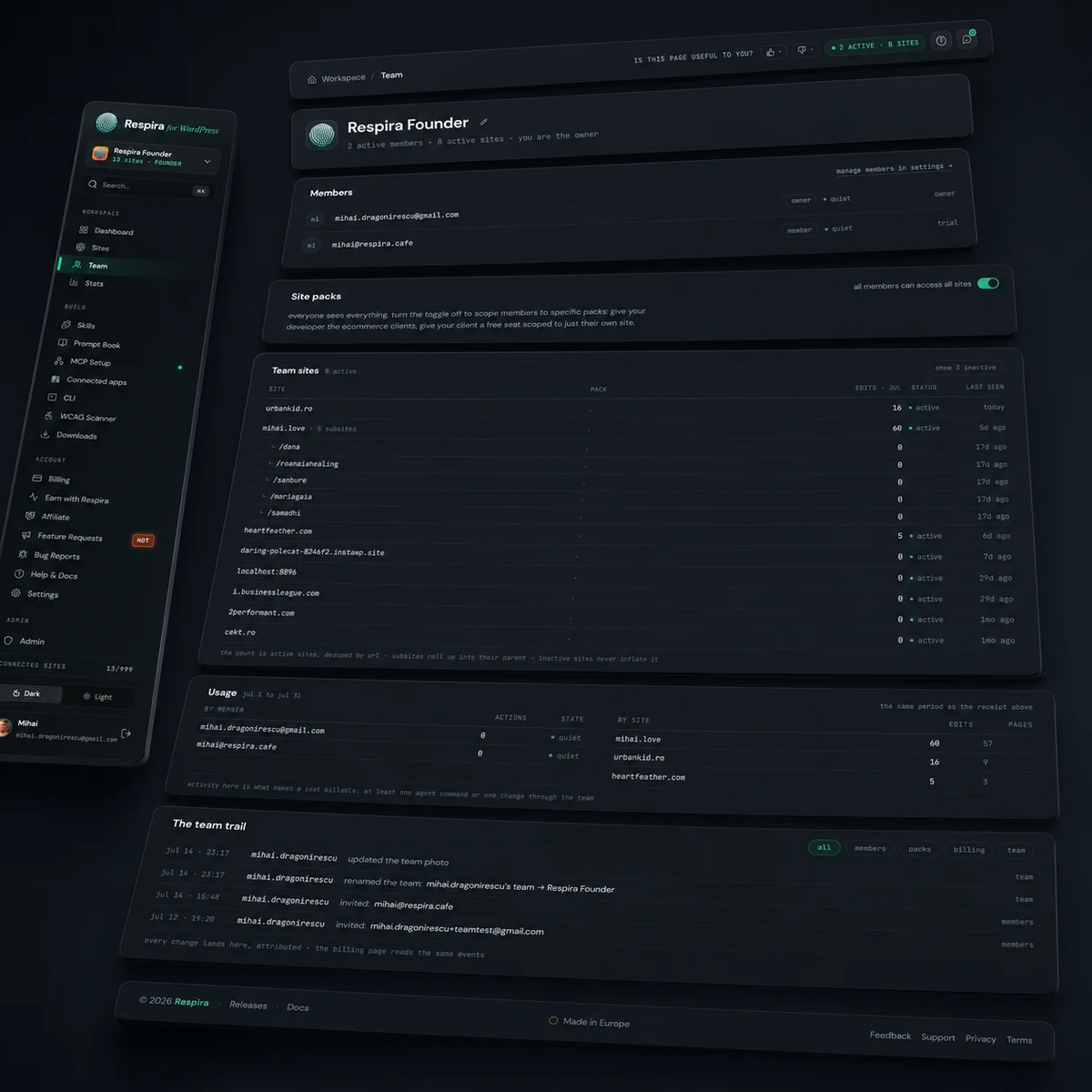
Murmur: client feedback, pinned to the page
Send a client one link to a page, a set of drafts or a whole staging site. They open it with no login and nothing installed, tap any spot on the page and leave a note with their name. Every note is anchored to the element it points at, so your AI applies it on a duplicate of the page and marks it resolved with the snapshot id. Links are signed, expire after 1 to 90 days and can be revoked at any time; the review bar loads nothing from outside the site.
The sign-off happens on the page too. A change waiting on a duplicate carries a bar at the top of its preview for whoever may decide it: View diff, Compare with live, Reject, and Approve & publish, which runs the same approval as Respira → Activity and opens the live page. Administrators get it on every preview; a reviewer without a login gets an approval link, signed, 1 to 30 days, revocable, with their name on the record.
For agencies: the trustees review the staging site on their phones, and the notes arrive as work, not as screenshots in an email.
Builder plan and up · plugin 8.9.0 · made from the dashboard, from Respira AER or from any connected AI
Read more about Murmur
Your AI remembers how your site works
Resonance keeps a persistent memory per site: your conventions, your rules, the lessons from past edits. Every new conversation starts already knowing your site, so you stop re-explaining it.
For agencies: new team member, new chat, same house style.
Included free on Builder and Studio plans
Read more about Resonance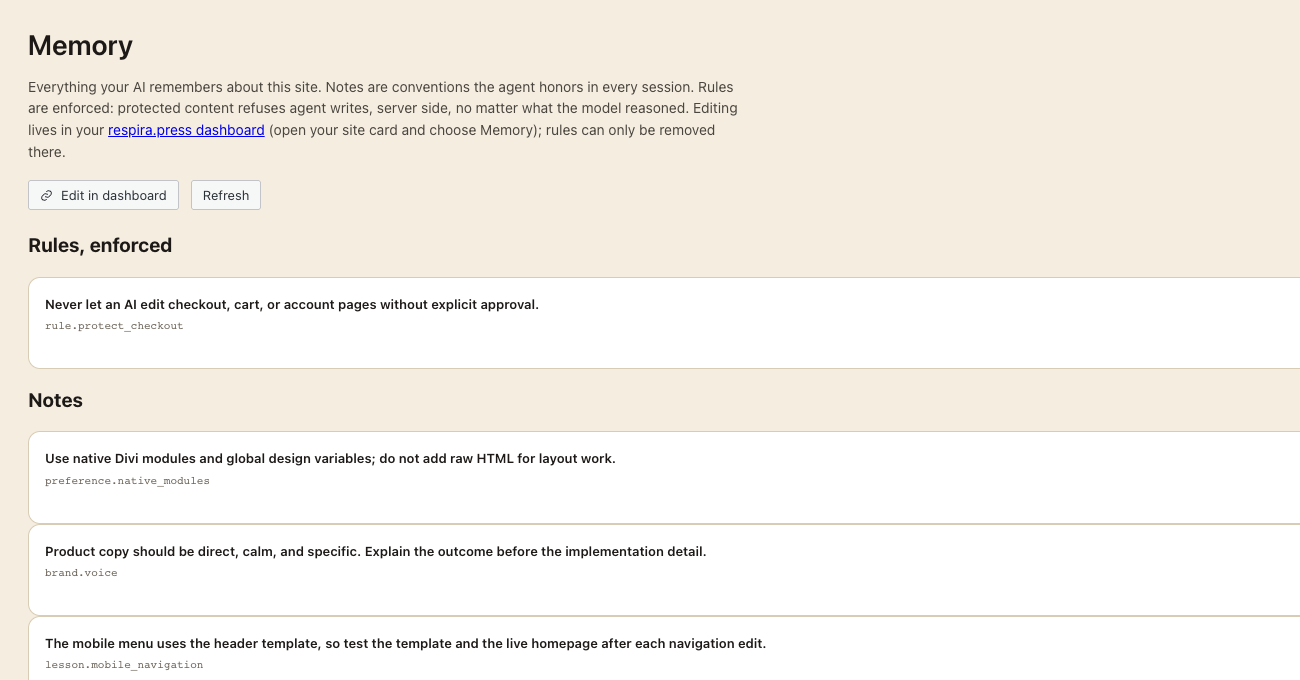
Art Direction: your design system, enforced by every AI
One saved design direction per site: palette, font pairs, spacing, and the designer’s own rules in plain language. build_page resolves values against it while the page is built, and check_design verifies the rendered page afterward, twenty two universal rules plus your own, screenshots attached.
For agencies: a site delivered with its direction saved stays looking like your work.
22 universal rules, every one waivable · free on every paid plan
Read more about Art Direction
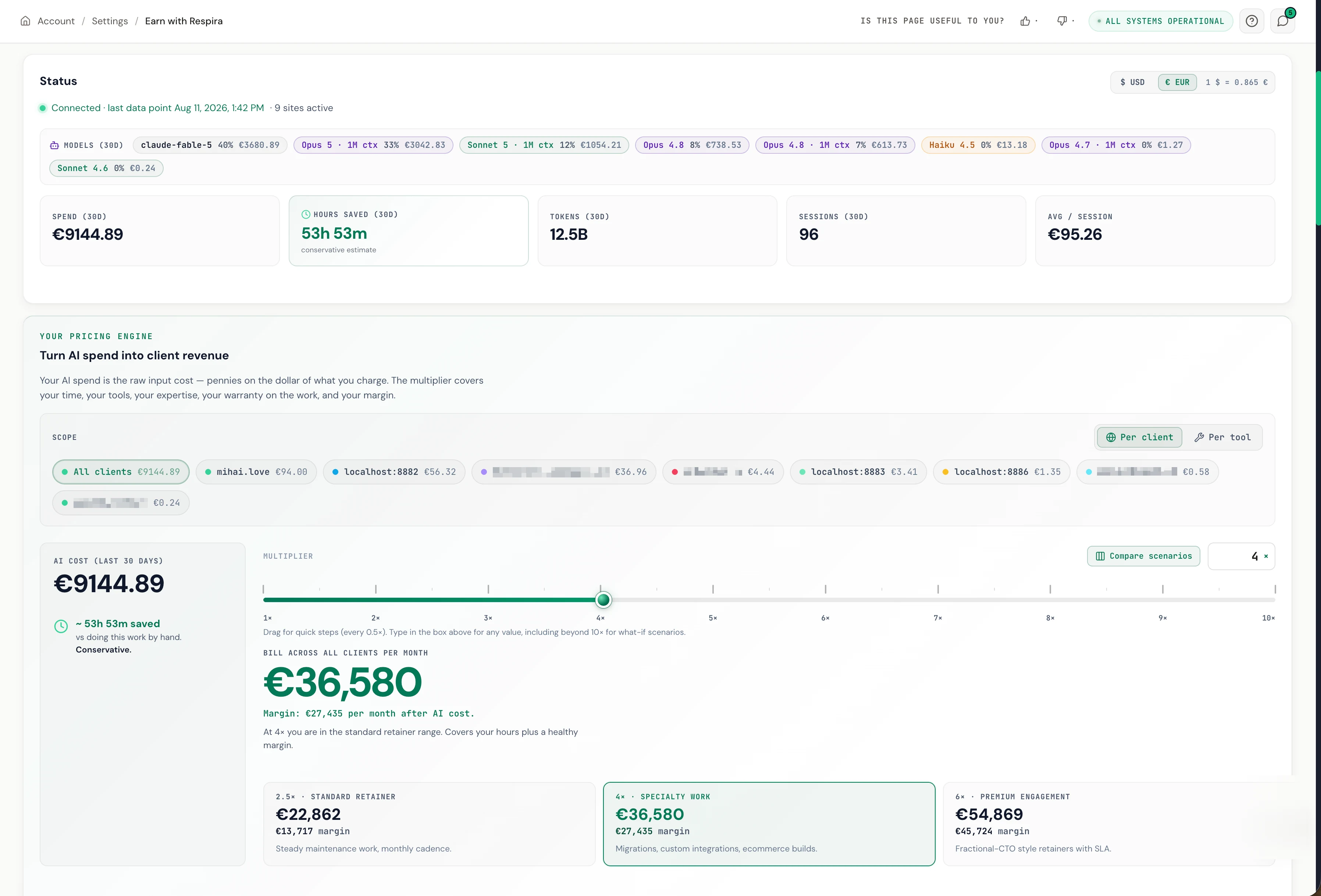
See what AI client work really costs
Earn tracks what your AI edits cost per site and per task, so you can price client work on numbers instead of guesses. Margin per client, visible for the first time.
For agencies: the number you have never been able to see.
Per-site, per-tool spend breakdown
Read more about Respira Earn
Manage your store from chat
Ask your AI to handle real catalog, inventory, pricing, order, and storefront work. Respira WooCommerce gives it 104 store-aware tools, with previews, approval gates, snapshots, and rollback around every consequential change.

- Raise prices across one category, preview the result, then schedule the sale.
- Find low-stock products and adjust inventory in one approved bulk operation.
- Repair missing SKUs, images, descriptions, categories, and product variations.
- Review orders, add notes, and preview a refund before any money moves.
For agencies: onboard a client's catalog in an afternoon, not a week.
104 WooCommerce tools · free with Studio and Founder plans
Read more about the Respira WooCommerce add-on
Accessibility, scanned and fixed
Scan any URL against WCAG 2.2, get a shareable report, and let your AI apply the fixes: alt texts, contrast, heading structure. The compliance deliverable clients ask about, automated.
For agencies: a billable audit that runs itself.
axe-core checks · AI fix prompts · shareable reports · free with an account
Explore the accessibility scanner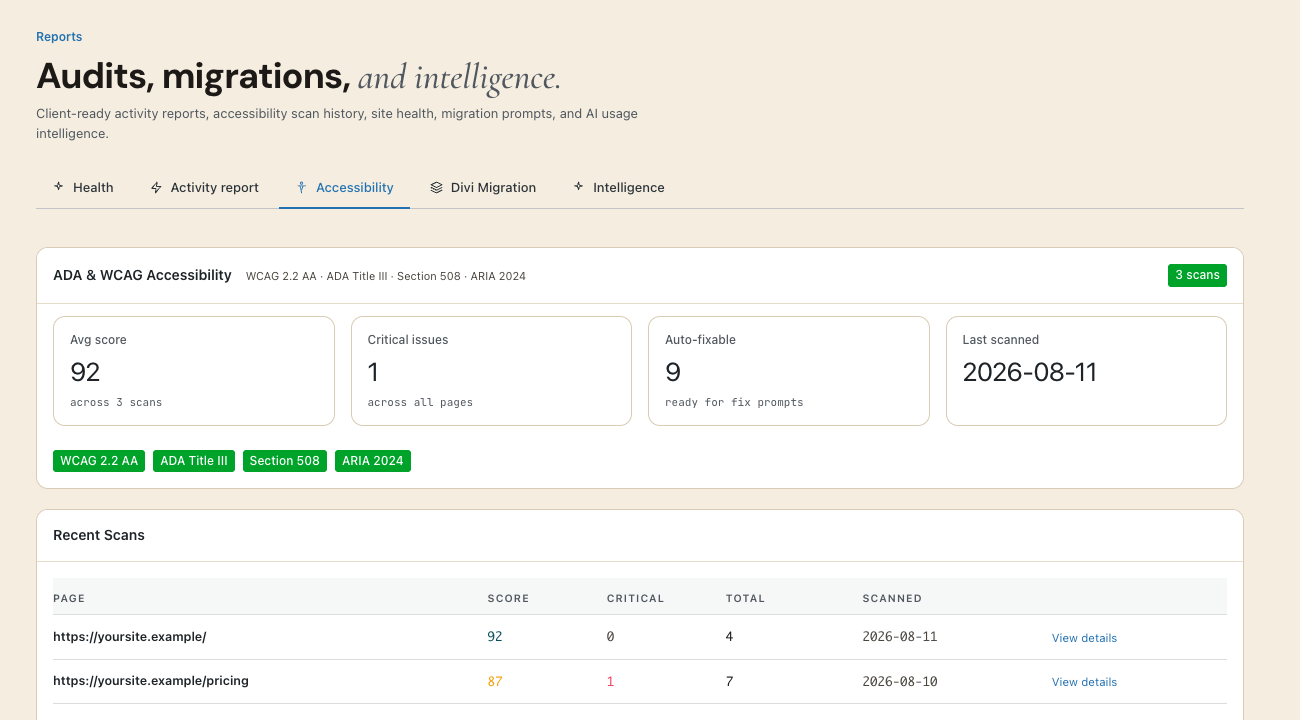
Do it once, run it forever
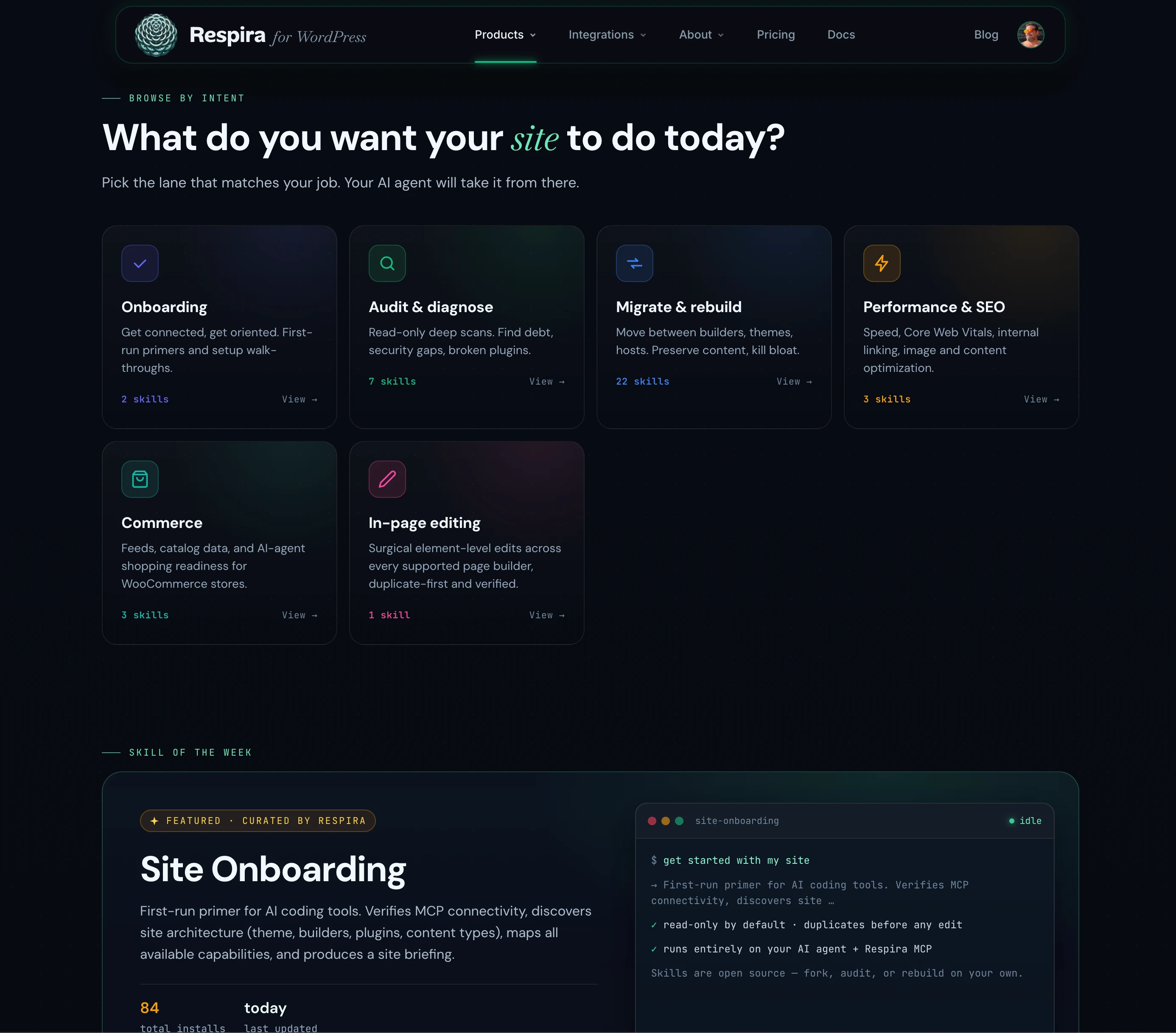
Record a workflow once as a Playbook and your AI can rerun it any time. Or start from 51 ready-made Skills: audits, SEO checks, WooCommerce health, accessibility scans. Your monthly maintenance round, automated but supervised.
For agencies: turn your best process into a one-line command.
51 free skills · Playbooks run as one-line commands
Browse Respira Skills Start with one site, free for 7 days
Maker is €9/month after the trial. No card for the trial. Use your existing AI agent over MCP, or bring your provider key to AER. Respira does not mark up model usage.


