
 MCP server

The Problem: AI Tools Write Text but Can't Edit Your Actual Site Structure
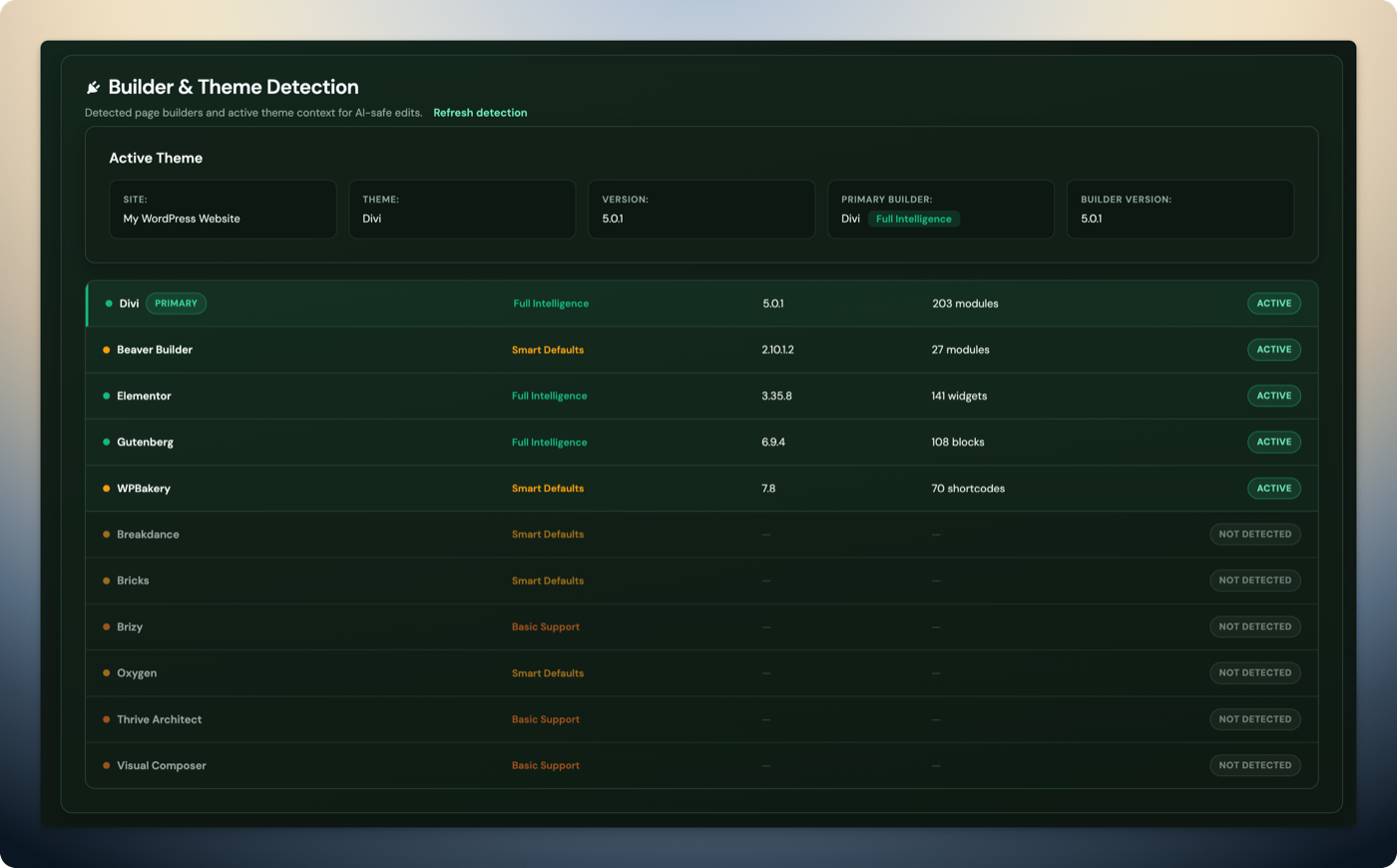
Most AI tools in 2026 can generate text, write code, and produce images. But when it comes to editing a live WordPress page built with Elementor, Divi, Bricks, or WPBakery, they fall short. The reason is simple: page builders store content in proprietary data structures — Elementor uses nested JSON arrays, Divi 4 uses shortcodes, Divi 5 uses block-comment JSON, WPBakery uses its own shortcode format. A generic AI that outputs HTML or Gutenberg blocks cannot interact with these formats without a translation layer.
The result: you get AI-generated content that you have to manually copy-paste into your builder, losing responsive settings, styling tokens, and layout structure along the way. Or worse, you paste raw HTML into a builder field and break the page.
What to Look for in an AI WordPress Editing Tool
Page builder support
Does the tool understand your page builder's native format? Gutenberg-only support covers a fraction of WordPress sites. If you use Elementor, Divi, Bricks, WPBakery, Beaver Builder, Oxygen, or Breakdance, the tool needs to read and write in that builder's data structure, not just output HTML.
Safety workflow
Does the tool create backups before editing? A duplicate-before-edit workflow means the AI edits a copy of your page, not the live version. You review changes in wp-admin and approve them before they go live. Without this, a single bad AI edit can take down a production page.
Rollback capability
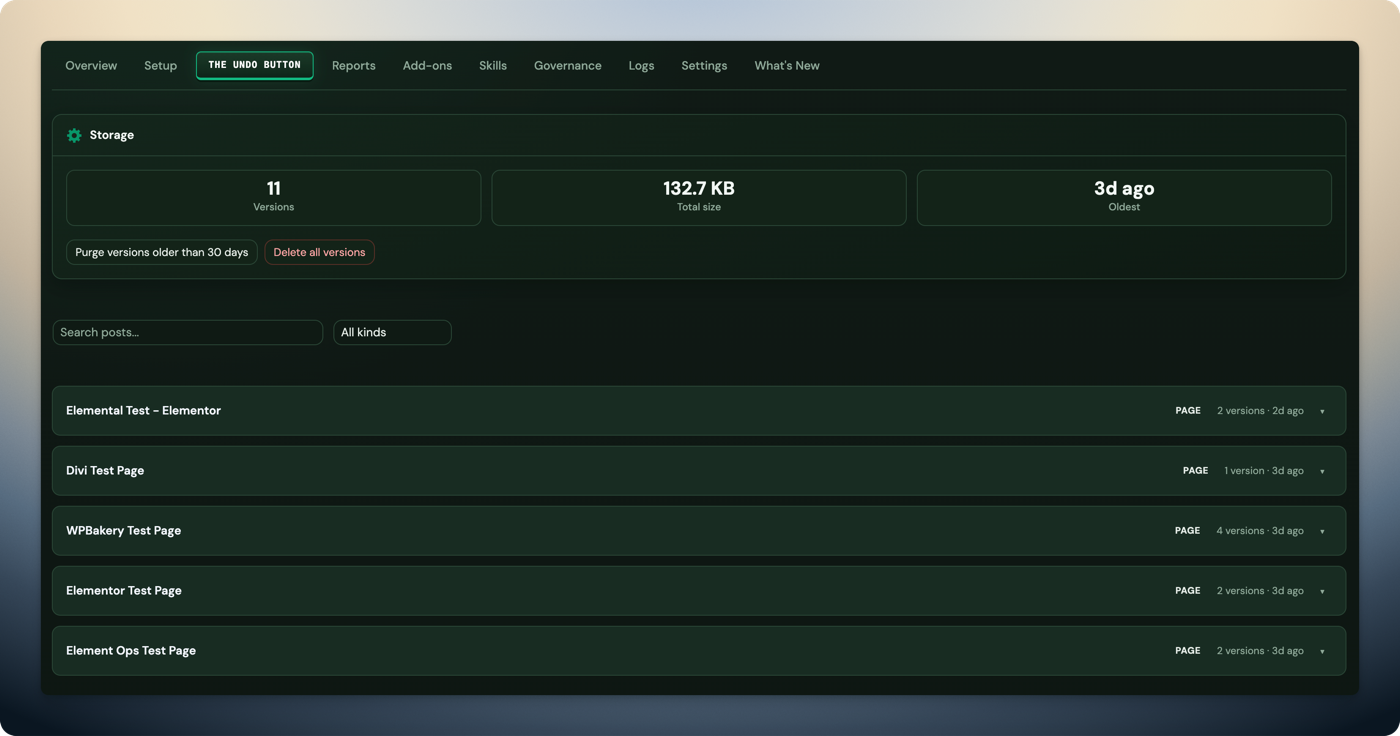
Snapshots and one-click undo are essential. If an AI edit produces unexpected results, you need to restore the previous state instantly — not dig through revision history or restore a full-site backup.
MCP support
MCP (Model Context Protocol) is the emerging standard for connecting AI assistants to external tools. An MCP-compatible WordPress tool lets you use Claude Code, Cursor, Codex, Windsurf, or any MCP client to edit your site. Without MCP support, you're locked into one vendor's AI interface.
AI WordPress Editing Tools Compared (2026)
| Tool | Page Builders | MCP Support | Safety | Rollback | Price |
|---|---|---|---|---|---|
| Respira | 17 builders | Yes (Claude Code, Cursor, Codex, Windsurf) | Duplicate-before-edit | Snapshots with diff/restore | Starter $7/mo, Agency $29/mo |
| WordPress.com MCP | Gutenberg only | Yes (official) | No | No | WordPress.com hosting required |
| Elementor AI | Elementor only | No | No | Elementor revision history | Included with Elementor Pro |
| CodeWP | None (generates code) | No | N/A | N/A | From $12/mo |
| Divi AI | Divi only | No | No | Divi revision history | Included with Divi membership |
| AI Engine | Basic (Gutenberg-focused) | Yes (basic) | No | No | Free + Pro from $49/yr |
How Respira Approaches AI WordPress Editing
Respira takes a different approach from the tools above. Instead of generating content that you paste in, it connects directly to your WordPress site and edits content in your page builder's native format through 339 MCP tools across 17 page builders.
- Element-level editing: Target individual widgets (roughly 50 tokens per operation) instead of rewriting entire pages (8,000+ tokens). Change a heading, update a button URL, or swap an image without touching anything else on the page.
- Duplicate-before-edit: Every write operation creates a copy of the page first. The AI edits the copy. You review and approve in wp-admin before anything goes live.
- Snapshots: Every edit creates a rollback point. Compare before/after with a visual diff and restore with one click.
- Schema validation: Widget settings are validated against the builder's control registry before saving. If you try to set a nonexistent property, Respira catches it before it reaches the database.
Frequently Asked Questions
Can AI edit Elementor pages without breaking them?
With Respira, yes. Respira creates a duplicate page before editing, validates every widget setting against Elementor's control registry, and creates snapshots for one-click rollback. Your live page is never touched until you approve changes in wp-admin. The Elementor MCP server page shows how it works.
What is the safest way to use AI on a live WordPress site?
Use a tool with duplicate-before-edit workflow and snapshot rollback. Respira creates a copy of every page before AI edits it, and every edit creates a snapshot. If anything goes wrong, restore with one click.
Can Claude Code edit Divi pages?
Yes, through Respira. Claude Code connects to Respira via MCP (Model Context Protocol). Respira understands Divi 4 shortcode format and Divi 5 block-comment JSON format natively, so Claude Code can read, edit, and create Divi content.
What is MCP and how does it work with WordPress?
MCP (Model Context Protocol) is a standard that lets AI tools connect to external services. Respira provides an MCP server with 172 WordPress tools. Your AI assistant calls MCP tools, Respira translates them into WordPress REST API requests, and the plugin reads/writes content in the page builder's native format.
How do I undo AI changes on my WordPress site?
Respira creates a snapshot before every edit. Go to the Respira panel in wp-admin, find the snapshot, preview the diff, and restore with one click. Every change is reversible.
Can AI edit WPBakery or Beaver Builder pages?
Yes. Respira supports WPBakery (shortcode-based), Beaver Builder (module-based), and 9 other page builders. Each builder's content is read and written in its native format.
What's the difference between Respira and CodeWP?
Respira makes live edits to WordPress sites through 339 MCP tools with safety and rollback. CodeWP generates code snippets (PHP, JS, WooCommerce hooks) that you paste into your site manually. Different tools for different workflows.
What's the difference between Respira and WordPress.com MCP?
WordPress.com MCP works only with Gutenberg on WordPress.com hosted sites. Respira supports 17 page builders on any self-hosted WordPress site and has 339 tools vs WordPress.com MCP's basic content operations.
Keep reading
- Can ChatGPT or Claude edit a live WordPress site?
- What WordPress plugin lets AI edit your site with human approval?
- How to sandbox AI WordPress edits (without a staging site)
- How to edit Divi and Bricks content with AI
- How to edit Elementor pages with AI safely
- How to safely use AI to manage WooCommerce (and get found in ChatGPT)
- How to create a free WooCommerce Google Shopping feed
