
 MCP server



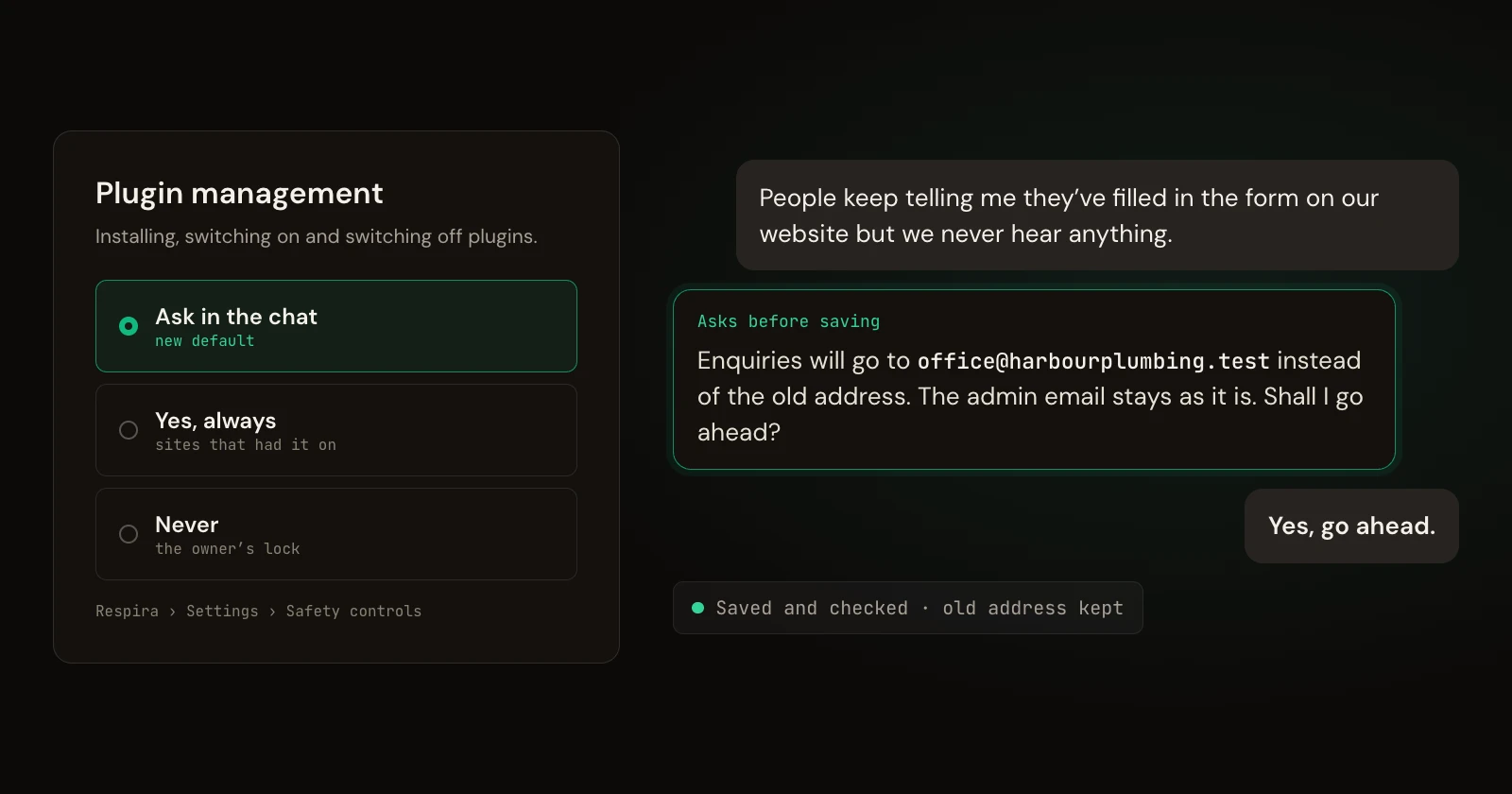
Until now, some changes could only be switched on by the site owner in wp-admin. An agent working for someone who never opens wp-admin hit a wall there, and the job stopped halfway: the booking page built, the booking plugin not installed. In Respira 9.3.8 the agent asks the person in the conversation instead, and the change happens only with their yes.
On Andy Peatling's open WordPress agent benchmark this one change did most of the work of taking Respira from 23 to 33 of 42 owner requests finished, level with handing the agent a full application password, without handing it one.
Asked in the chat, not stuck in wp-admin
- Three settings for plugins. Installing, switching on and switching off plugins now has three settings: Ask in the chat, "Yes, always" and Never. Ask in the chat is the new default. Sites that already allowed plugin management keep it allowed.
- The same three for Site Editor writes. Menus, templates, template parts and patterns. An approved change now applies straight away, instead of waiting as a second proposal in wp-admin.
- One yes covers the obvious next step. A yes to install a plugin also switches it on. Switching on WooCommerce turns on Respira's WooCommerce add-on. A yes to install a backup plugin covers taking one backup with it.
- Taking a page off the site. A live page or post can go to draft, pending or private once the person says yes, with a snapshot first.
- WordPress's example content. The untouched "Hello world!" post and "Sample Page" go to draft when an agent builds or moves a site. Set to draft, never deleted.
Forms that reach the right inbox
- Two new tools,
list_form_notificationsandupdate_form_notification, for WPForms, Contact Form 7 and Gravity Forms. They show where each form's enquiries are emailed, including the real address behind "admin email", which pages show the form, and a warning when the address is on another domain than the site. - Changing a recipient needs the person's yes, is read back afterwards, and keeps the previous address.
- Creating or editing a form now says where its submissions will go.
When a plugin crashes the site
- Respira names the plugin that crashed and explains WordPress's recovery link, so the agent can tell the owner what happened and how to get back in.
- A plugin WordPress has already paused for crashing the site can be switched off without a question.
Smaller fixes
- A WordPress update within the same branch, for example 7.1.2 to 7.1.3, no longer needs a confirmed backup. These are the maintenance releases WordPress installs by itself. The yes is still required, and the reply says core has no automatic rollback.
- A page written as one pasted block of raw HTML carries a warning, because the owner cannot edit it in the block editor. It points to converting it into blocks or the site's builder.
- Respira's own read abilities now run through
invoke_ability. Before, they were listed as available and then refused. - WooCommerce add-on 4.1.8: a new product that is not published says it is not in the shop yet, and that publishing it needs no extra approval.
If you would rather keep it locked
Go to Respira, Settings, Safety controls, and set Plugin management or Site Editor writes to Never. Agents then do not ask; they say the owner has turned it off. If your site sets DISALLOW_FILE_MODS, plugin installs stay blocked whatever the setting.
Questions
Will an agent now install plugins on my site without asking?
No. With the new default, Ask in the chat, every plugin install, activation or deactivation answers with a question and runs only after the person says yes in the conversation. Nothing changes until then.
My site had plugin management switched on. Does that change?
No. A site where plugin management was on stays on "Yes, always". Only sites where it was off move from refused to Ask in the chat.
How do I keep it locked?
In wp-admin, go to Respira, Settings, Safety controls, and set Plugin management or Site Editor writes to Never. Agents then do not ask; they say the owner has turned it off. A site with DISALLOW_FILE_MODS stays blocked for plugin installs whatever the setting.
Does this work in Respira AER?
Yes. AER shows the question as an approval card in the chat, and the change runs when you approve it, the same as other changes that need a yes.
See it on 42 real requests
The WordPress agent benchmark page shows every run of Andy Peatling's benchmark with Respira 9.3.8 next to WordPress's MCP adapter and a full password: which jobs got done, what the agents changed on each site, the conversation above in full, and the runs Respira still loses.
The update reaches your site through the usual WordPress updates screen. Every release is listed on the releases page.


Join the conversation
0 comments · Respira accountNo comments yet. Be the first to weigh in.