
 MCP server

Release 8.0 · codename Canopy
Respira for WordPress 8.0: Canopy
The site editor is a first-class target.
Respira lets ChatGPT and Claude edit your live WordPress site. Canopy is the release that teaches them WordPress's own building blocks: the Site Editor, block templates, reusable patterns, and the navigation menu. Every change is snapshotted first, can wait for your approval, and is only reported done once WordPress has actually rendered it.
- Plugin 8.0 Native Site Editor engine: templates, patterns, block navigation, design tokens, structural approvals, snapshots and rollback.
- MCP server 8.0 New Site Editor and design-token tools for your AI client, plus WooCommerce reporting, an activity history, and a published tool catalog.
- WooCommerce add-on 4.0 Storefront intelligence that reads and edits a block-based shop natively, plus bounded revenue, order and customer reporting, safe store-configuration discovery, and approval-gated webhooks.
read-only discovery ships to every connected site. structural writes are opt-in per site, a switch only the site owner can flip. a snapshot before every write, approvals you control, one-click rollback.
PATTERNSsynced and unsynced NAVexact-path block edits TEMPLATESSite Editor structure TOKENSglobal design surfaces What Canopy does
Four things, done on the native block surface, on the same staged-safety contract as the rest of Respira.
Synced patterns, edited by reference
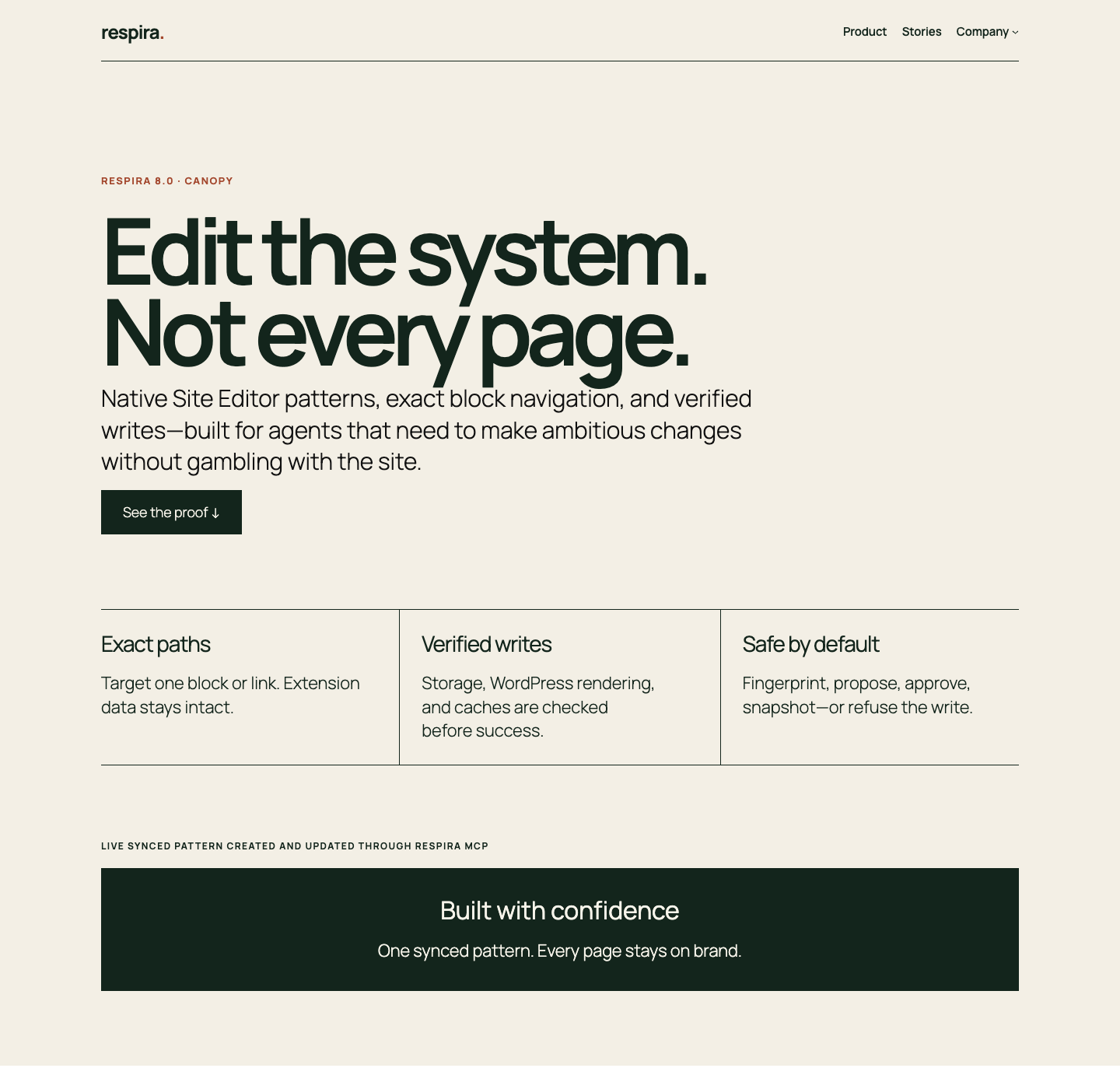
Your assistant discovers native WordPress patterns instead of treating them as generic posts. It creates a synced pattern, reads it back through WordPress, checks the block parses and renders, and places it by reference. One edit later, every page using it stays on brand.
Navigation changed, not rewritten
The block navigation is a tree, and Canopy treats it like one. Your assistant gets the exact block path for the link to change, locks the document revision, and updates only that block. A guessed path is refused. A stale revision is refused. The Company submenu and its nested links stay exactly where they were.
Structural edits can wait for a human
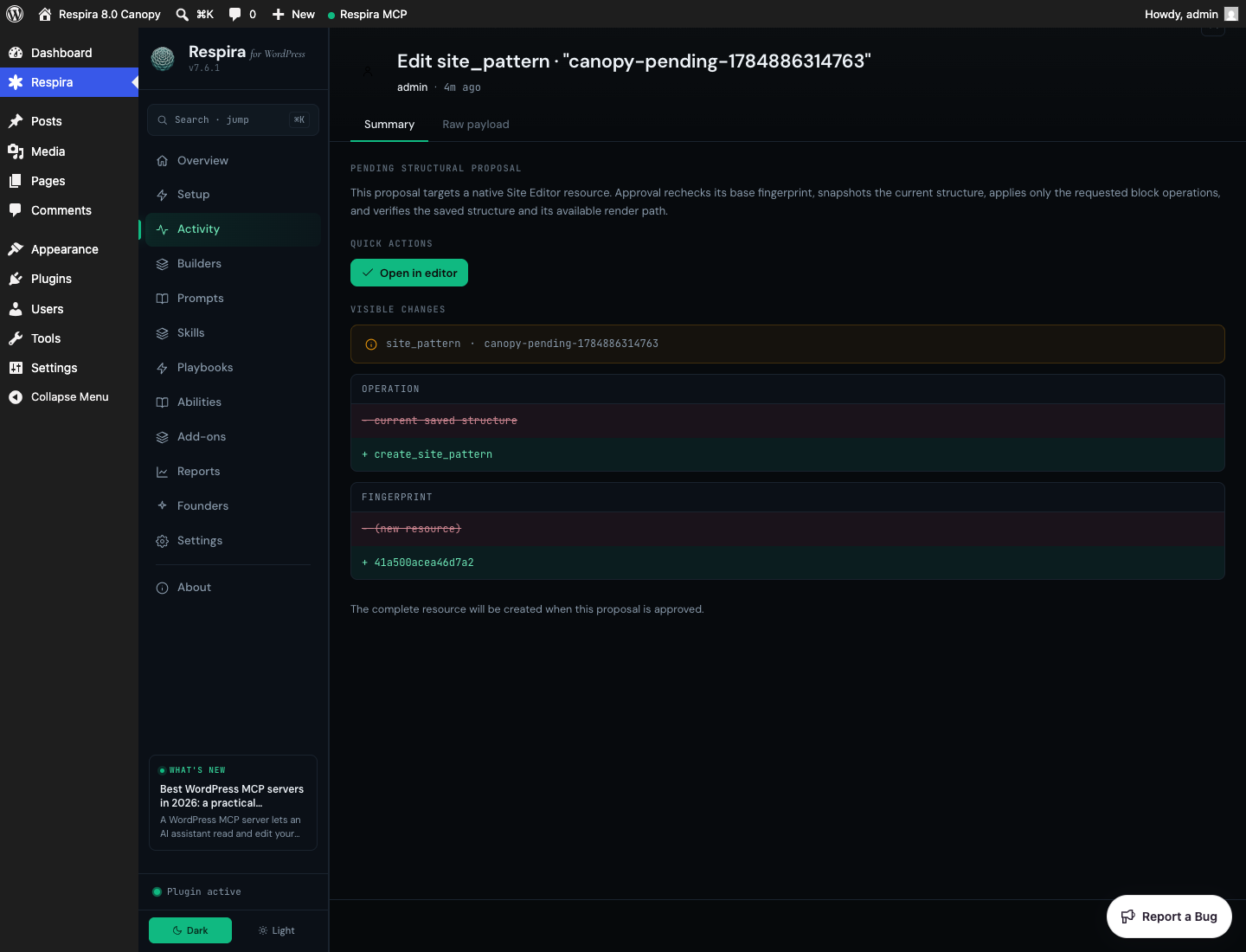
Ask for a new pattern or template change and Canopy can stage it instead of publishing. The proposal shows the exact resource, the operation, and the before and after fingerprint. Nothing goes live until you approve it in WordPress. Reject it and the live resource is untouched.
Success means evidence
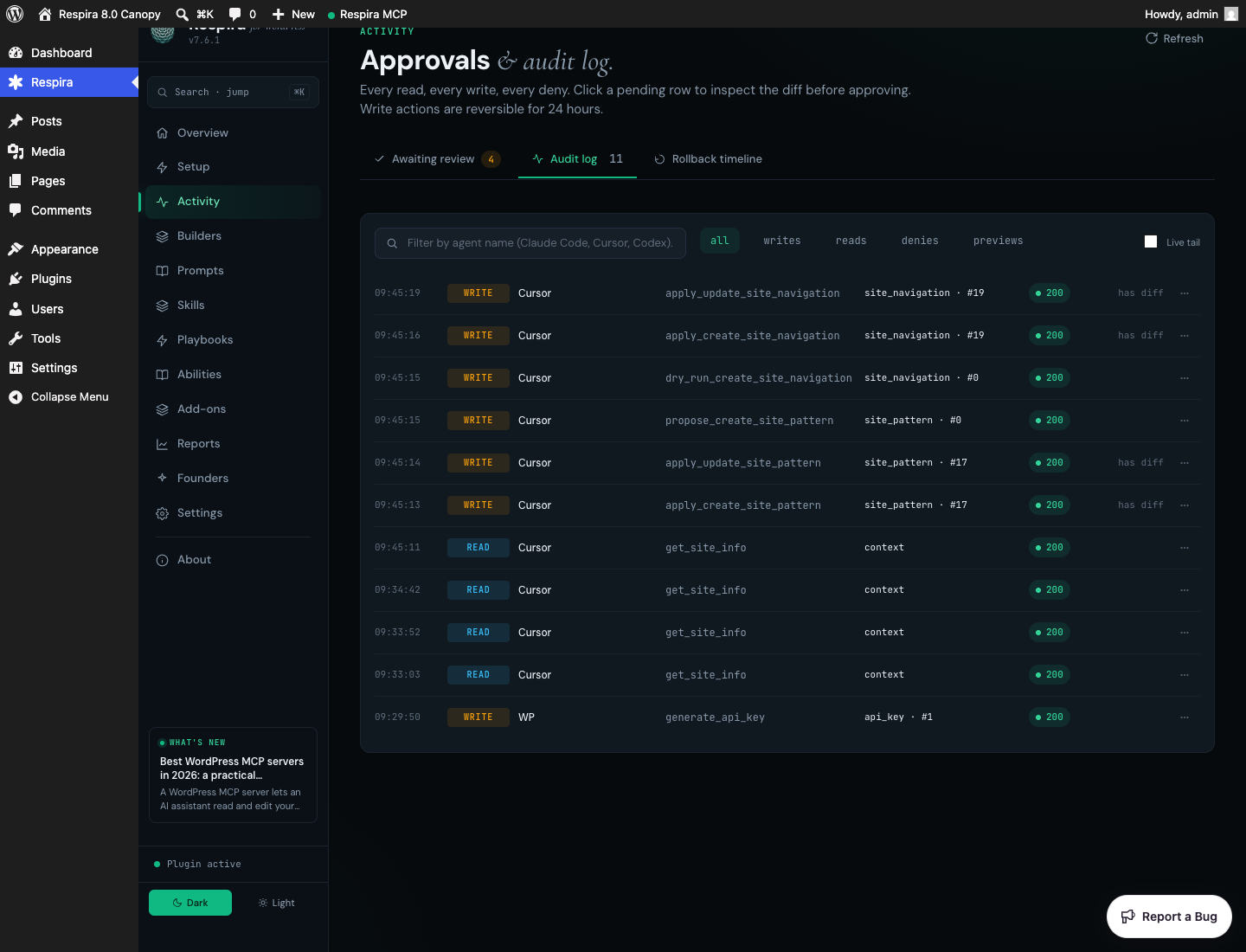
Every structural write leaves a trail: the resource, the revision, the snapshot, a normalized diff, a server-render check, and the cache result. What the log never holds is your content or your keys. No prompts, no block content, no rendered HTML, no secrets. It does keep the caller IP and user agent, the same fields your web server already logs, on your own database. Verified means WordPress actually rendered it.
Proof, not "200 OK"
Real acceptance scenarios captured from fresh WordPress Studio sites. The page, the synced pattern, the navigation, the approval, and the audit events were all created through the packaged Respira MCP server. No mocked responses.
Why the native surface, and why now
WordPress has spent years building the things page builders used to sell: responsive layouts, block patterns, global styles, full-site editing, the template hierarchy, all moved into core as first-class primitives. For an AI assistant that reads and writes a site directly, that native structure is the most portable, most durable surface there is. It degrades gracefully, it has no proprietary shortcodes, and it moves in the same direction as WordPress itself.
the site editor became a first-class target because of a careful field study by Dale Smith of revWorx, who builds exclusively on block themes. he showed, page by page and against a live site, that on a pure block-theme stack the builder-specific depth collapsed to a generic fallback, and the platform-agnostic half was doing all the work. he did not soften it, and he was right. that document is the reason this release exists. Canopy is the answer to it: native structure treated as structure, not as a stack of posts.
Questions
What is Canopy, in one line?
Respira 8.0 makes the native WordPress Site Editor, block themes, patterns, and block navigation a first-class target for your AI assistant, on the same staged-safety contract as the rest of Respira.
Does this replace the page-builder support?
No. The 19 builders Respira supports are unchanged. Canopy adds the native block surface underneath them, so a site with no page builder at all is now a first-class target rather than a generic fallback.
How is a write verified?
A write returns verified only after WordPress stores it, the block parses and serializes cleanly, and the server actually renders the result. Anything else is reported honestly as stored-but-unverified, pending approval, a dry run, or a refusal, never as a silent success.
What happens to the rest of my navigation when one link changes?
It stays. Canopy changes only the exact block you targeted. It does not rewrite the navigation document, and it refuses to guess the path or write over a revision that changed under it.
Is it safe on a live site?
The same safety net as every Respira write: a snapshot before the change, structural proposals you can approve or reject, normalized diffs, and rollback. The full write cycle, staged then approved then rolled back, is proven end to end on WordPress 7.0.2 with PHP 8.4, and again on a stock block theme with WooCommerce 10.9.4. WordPress 6.3.8 on PHP 8.2 is covered for discovery. The acceptance file ships with the release, so you can read exactly which run proved what.
Is there anything that does not wait for approval?
One thing, and it is worth knowing before you update. Divi Theme Builder global layouts are snapshotted and reversible, but they are written live rather than staged for approval. They cannot be staged the way a page is: Divi resolves a global layout by id, so a duplicate would compete with the original instead of standing in for it. What 8.0 adds instead is a confirmation. The first attempt to rewrite a global header, footer or body is refused, and the refusal names the layout and says it will change every page that uses it. Your assistant has to come back having told you that before it can proceed. Everything page-shaped, meaning pages, posts and custom post types, keeps the full staged workflow it always had. Real staging for globals is what comes next.
Is it on for every site immediately?
Read-only discovery of templates, patterns, and navigation is available everywhere. The structural writes and global-style changes are off by default. The site owner turns them on per site in wp-admin, under Respira > Settings, so live-structure editing never switches on without you.
Does it work for a WooCommerce storefront built in blocks?
Yes, and that is the part 8.0 proves rather than promises. The storefront tools try the native block path first and fall back to builder detection, which is the opposite of how they used to work. On a stock block theme, analysing a shop page returns real structural analysis instead of "no page builder detected", and a sale badge lands inside the product image where WooCommerce puts its own. The one stack still unproven is GreenShift, which is pending a licence rather than a harness.


