Respira Exhale · the HTML to WordPress converter

Respira Exhale: drop an HTML file, get a page in your builder's own blocks. In seconds.

Ask ChatGPT or Claude for a page. Drop the file into Respira. Before you can switch tabs it is on your WordPress site, a real page in Divi modules, Elementor widgets, Bricks elements or Gutenberg blocks, editable like anything you built by hand. No other converter does this across 17 page builders from one file, and no AI touches the file on the way. The work is Respira's own, so it takes nothing from your ChatGPT or Claude plan and nothing from an API key.

  • in the respira.press dashboard
  • in Respira AER
  • as an MCP tool
  • included in every plan
  • 2 pages a month for each site
Forty-eight seconds, with a voice. Turn the sound on in the player.
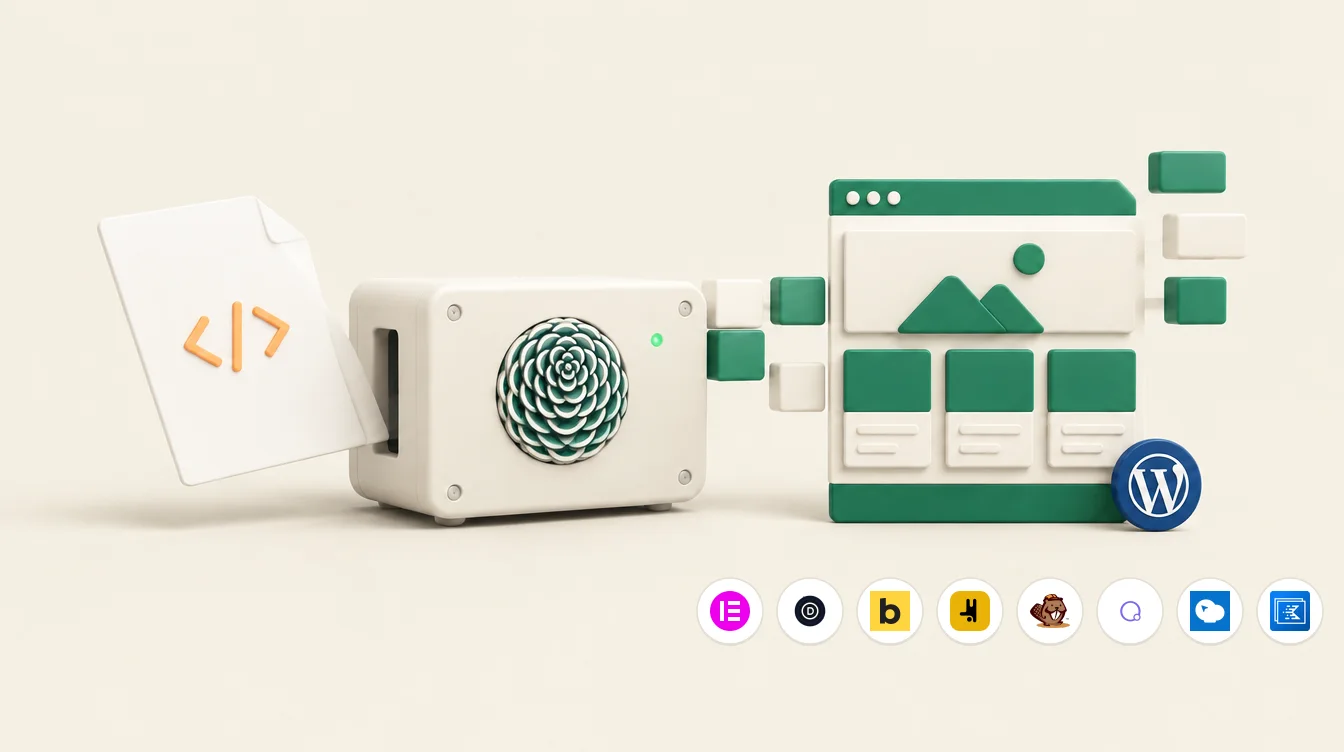
An HTML file slides into a small cream converter with the Respira rosette on its front; on the other side a WordPress page assembles itself from green blocks, with the page builders it writes lined up beneath

Respira is a translator.

Respira Exhale is an HTML to WordPress converter: it takes a finished HTML page and rewrites it as native blocks in the page builder your WordPress site already runs.

It sits between an AI assistant and a WordPress site and turns what the AI produces into changes the site understands. Respira Exhale is that translator pointed at one thing: a finished HTML page, which is why it is called the HTML to WordPress converter.

The AI writes the page. Respira Exhale reads it and rewrites it as the sections, rows, columns and modules of whichever builder your site runs. You get a page you can open and edit like any other, not a lump of pasted code.

0
AI calls in the conversion, so no tokens from your plan or your API key
3.7s
for a seven-section page, measured on a live site
17
page builders, written natively

What happens in those seconds

Six stages, in this order, all of them code that runs on your own site. Read out of the converter's source, not a brochure.

  1. Cleaned before anything runs

    Scripts, event handlers and unsafe links are removed first. Embedded raster images stay; embedded SVG does not, because an SVG can carry script. What was removed is listed in the report.

  2. Images land in your Media Library

    Every image embedded in the file is decoded, checked to be the type it claims, uploaded once (a second conversion reuses it), and the page points at the uploaded file.

  3. The builder is detected

    The site says which page builder it runs. You can name one instead. Beaver, WPBakery and their aliases are understood.

  4. The stylesheet is read by Respira's own selector engine

    Types, classes, ids, attributes, first and nth-child, the of-type variants, :not, :is, :where, all four combinators. Anything the engine does not know is reported as unsupported and left alone, never guessed at.

  5. The structure becomes the builder's blocks

    Body children become sections, deeper boxes become rows, columns and groups, and the leaves become native Heading, Image, Button and Text modules. Text keeps its exact markup; every element keeps its classes and ids.

  6. The stylesheet travels with the page

    The file's own CSS is carried as it is, every rule scoped to that one page, and printed by Respira itself so a builder save cannot strip it. That is fidelity mode, and it runs on every supported builder; standard mode translates the CSS into the builder's native settings instead.

Is AI involved?

Before, yes. In the middle, no. After, if you want.

Before

The AI writes the HTML. ChatGPT, Claude, Gemini, a designer's export, your own hands. Respira Exhale does not care where the file came from.

During

No model, no prompt, no token from your AI plan or your API key. The converter is deterministic PHP with its own parser and CSS selector engine. The same file gives the same page every time, and nothing about your page leaves your server except a request for the fonts it names.

After

Respira AER can open the finished page through a share link and check that the background, the fonts and the widths are what the stylesheet asked for. That check is optional, and it is the only place a model looks at your page.

Two ways the design travels

Fidelity mode

Every supported builder. On by default when the file has a stylesheet.

  • The design you drew is the design that renders: the stylesheet is carried verbatim, scoped to the page.
  • Every class and id sits on the element the builder renders, so your selectors still find their targets. Where a builder cannot put a class on that tag (an Elementor heading widget, a block image), that piece keeps its markup as written in the builder's own text or HTML element, still editable there.
  • Selectors a builder would break, like nth-child or a direct child, are evaluated on your original markup and pinned to the elements they matched.
  • Fonts named in the file come along as font-face rules. The site's own theme styling is reverted inside the page, so it cannot bleed in.
  • The page stays editable in the builder: sections, rows, columns and modules, not one code block.

Standard mode

Any builder, when you ask for it.

  • The stylesheet is translated into the builder's native settings: colours, type, spacing, borders, shadows, widths, alignment, grid columns, responsive rules.
  • Whatever a builder has no setting for is reported as unmapped, not silently dropped.
  • Design tokens in the file (custom properties) are registered as the builder's own global tokens, so a var() stays a reference.
  • When a document is bigger than a builder can hold as blocks, the rest lands in the builder's HTML element so nothing is lost.

HTML to Elementor, Divi, Bricks, Gutenberg and 13 more

Respira Exhale writes the builder your site already runs, in its own blocks: HTML to Elementor widgets, HTML to Divi modules, HTML to Bricks elements, HTML to Gutenberg blocks. Fidelity mode on every one of them; standard mode when you ask for it.

  • Gutenberg
  • Elementor
  • Divi
  • Bricks
  • Oxygen
  • Beaver Builder
  • Breakdance
  • Flatsome
  • Brizy
  • Visual Composer
  • WPBakery
  • Thrive Architect
  • Spectra
  • Kadence Blocks
  • GenerateBlocks
  • GreenShift
  • SeedProd

What comes back

A new page, a link to look at it, and a report that does not flatter itself.

The page
Published, or a draft if you ask. New, so nothing on the site changed.
On several sites at once
Tick more than one site and the same file becomes a page on each, in each site's own builder, one line per site with its links. An agency's standard page reaches every client site in one go.
A share link
Opens the page on any device with no login, for 14 days. Send it to whoever has to say yes.
A Murmur link
The same page with a small review bar. Whoever has it taps a spot and leaves a comment with their name, no login, and the comments come back to you in Respira. Builder plan and up; tick it off if you only want the page.
The edit link
Straight into your builder.
The report
Mode, sections and elements written, whether the stylesheet was carried, the template, every warning. In fidelity mode there is no score on purpose: a node count once said 91 for a page that rendered white, so the render is checked against the share link instead.

Three ways to run it

In the dashboard

Respira Exhale under Your sites. No agent to connect: the plugin on the site and this page are all it takes. Drop the file, pick the site and the builder, press once. A draft or a published page, a share link that opens it on any device with no login, and a Murmur link for comments.

Open Respira Exhale

In Respira AER

Attach the file to a message and type /convert. AER runs the same converter on the site you pick, then checks the render against a share link and tells you if the stylesheet did not apply.

About AER

From your own AI

Claude Code, Cursor, Claude Desktop or ChatGPT connected through the Respira MCP server call convert_html_to_builder with the file. Same converter, same report.

The MCP server

Six steps, and the last one is the product

No agent to set up, no key to buy, no prompt to get right. The plugin and the convert tool are the whole setup.

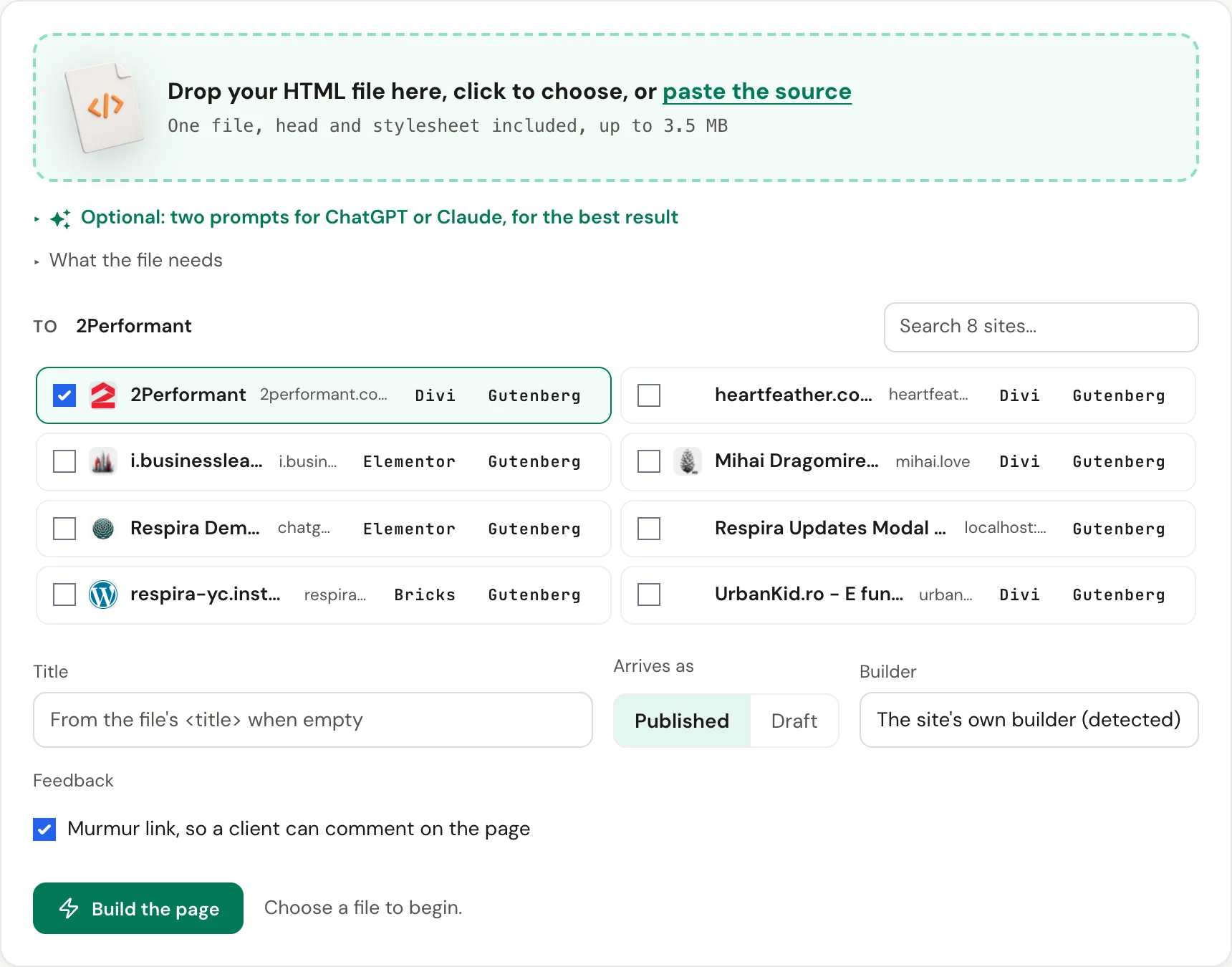
The Respira Exhale page in the dashboard: a file dropped in, the site and the builder chosen, the page built
Respira Exhale in the dashboard, under Your sites.
  1. Start your trial

    Free, no card, and 10 pages to try the converter with.

  2. Add your site

    Its address, under Your sites in the dashboard.

  3. Install the plugin

    Respira for WordPress, from the dashboard or wp-admin.

  4. Connect it to your dashboard

    Paste the licence key once. The site now takes work from your account.

  5. Upload your HTML

    The whole file, head and stylesheet included, from ChatGPT, Claude, a designer or your own hands.

  6. Under five seconds later

    The page is built and published on your site, in the page builder of your choice, in that builder's own blocks.

The Respira Exhale form in the dashboard: drop an .html file, a page title, draft or published, and the Murmur link option
A screenshot of the form, the first of three steps. The real one is in your dashboard, under Build.

The same file can set the site's design.

A page written by an AI carries a design: its colours, its fonts, the way it spaces things. Respira Exhale builds the page. Respira Art Direction can take the same file and turn what the stylesheet says into the site's colour roles and type, so every page an agent builds afterwards follows it.

1

Convert the page in Respira Exhale. Under the result there is one button: seed Art Direction from this file.

2

Art Direction reads the file's own :root tokens, or the background, text colour, accent and font stacks Respira derives from the stylesheet when there are none, and shows them as a dry run.

3

Apply it, and the site has a direction. Agents working through Respira read it before they build. How Art Direction works.

Any complete HTML file converts. Two prompts get the best result.

Optional. If a page did not come out the way you expected, or you want its design to reach Art Direction too, hand your AI one of these first. Both ask for one document, the stylesheet in the head, no @import, plain font stacks, real sections, the design in :root tokens, no scripts.

I already have the HTML: prepare it

Keeps every word, image and colour; changes only what the converter needs. Paste your page where it says so.

I have an HTML page that I will convert into WordPress page builder blocks with Respira Exhale. Rewrite it as ONE self-contained HTML file that keeps every piece of content, every image and the same design, changing only what these rules require:

1. One file: <!doctype html>, <html>, <head> with a <title>, and <body>. No separate CSS or JS files.
2. All CSS in a single <style> in the <head>. No @import anywhere. No CDN frameworks (no Tailwind, Bootstrap or similar by link). Fonts: a plain font stack like "Inter, system-ui, sans-serif"; if a web font is needed, a <link> to Google Fonts is fine, @import is not.
3. Define the design as CSS custom properties in :root (--color-bg, --color-text, --color-accent, --font-heading, --font-body, spacing) and use them throughout.
4. Structure the page as top-level <section> elements, each with one heading. Use <h1> once, then <h2>/<h3>.
5. Layout with simple CSS grid or flexbox. No position: fixed or sticky, no iframes, no <script> tags at all (scripts are stripped on conversion).
6. Images: absolute https URLs to real images, or inline SVG only for small icons. Every image gets alt text. Keep the whole file under 2 MB.
7. Buttons are <a> links styled as buttons. Forms stay simple (one email field and a submit) or are left out.

Do not shorten or rewrite the copy. Do not change the colours, fonts or layout beyond what the rules need. Return only the complete HTML file, nothing else. Here is the page:

[PASTE YOUR HTML HERE]

I want the AI to write the page

A landing page from scratch, in a shape that converts cleanly. Swap [BUSINESS] for yours.

Build me a landing page as ONE self-contained HTML file that will be converted into WordPress page builder blocks by Respira Exhale. Follow these rules exactly:

1. One file: <!doctype html>, <html>, <head> with a <title>, and <body>. No separate CSS or JS files.
2. All CSS in a single <style> in the <head>. No @import anywhere. No CDN frameworks (no Tailwind, Bootstrap or similar by link). Fonts: a plain font stack like "Inter, system-ui, sans-serif"; if a web font is needed, a <link> to Google Fonts is fine, @import is not.
3. Define the design as CSS custom properties in :root (--color-bg, --color-text, --color-accent, --font-heading, --font-body, spacing) and use them throughout.
4. Structure the page as top-level <section> elements, each with one heading. Use <h1> once, then <h2>/<h3>.
5. Layout with simple CSS grid or flexbox. No position: fixed or sticky, no iframes, no <script> tags at all (scripts are stripped on conversion).
6. Images: absolute https URLs to real images, or inline SVG only for small icons. Every image gets alt text. Keep the whole file under 2 MB.
7. Buttons are <a> links styled as buttons. Forms stay simple (one email field and a submit) or are left out.
8. Sections in this order: header/nav, hero, three feature columns, a testimonial or proof, a call to action, footer.
9. Write real, specific copy for [BUSINESS], no lorem ipsum. Keep it under 900 words.

Return only the HTML file, nothing else.

Try it in two minutes

Paste this into ChatGPT or Claude, fill the three blanks, save the answer as a file, drop it into Respira Exhale.

Or skip the prompt: Respira Exhale offers a ready page about how your site is looked after, free to publish, and clients tend to keep it.

Start a free trial
Write me a complete, single-file HTML landing page for {what it is and who it is for}.
Tone: {warm and plain}. Accent colour: {a colour name or hex}.

Rules:
1. One file: the whole <html>, a <head> with <title> and ONE <style> block, and a <body>. No external CSS, no JavaScript, no frameworks, no iframes, no forms.
2. Semantic structure: a <header>, five to seven <section> blocks, a <footer>.
3. Real copy, short sentences. Buttons are <a> links.
4. Styling only in the <style> block. A system font stack (no @import, no font links). A max-width container of 1100px, generous spacing, rounded cards, one accent colour.
5. Images: at most four, each an <img> with a full https URL and a descriptive alt text. No data URLs.
6. Mobile first: the grid collapses to one column under 720px. Keep the file under 60 KB.

Return only the HTML.

What it will not do

An intelligent import, not a pixel-perfect promise on every builder. The limits, in the open.

  • Send the whole document, head and stylesheet included. A file that lost its style block converts to structure only, and the report says so.
  • Fonts from a plain font stack or a Google Fonts link. An @import at the top of the stylesheet stops the scoped sheet from applying on Divi.
  • Up to 3.5 MB through the dashboard, 5 MB through the tool. Embedded images up to 20 MB each.
  • The scoped stylesheet is capped at 150 KB (100 KB on Divi and Bricks). Over the cap the page is not created and you are told.
  • Standard mode handles 500 elements and 30 levels of nesting per document; beyond that the remainder lands in an HTML element.
  • External stylesheets are not fetched. Inline them, or let your AI write one file.

Questions

How do I convert an HTML file to a WordPress page?

Open Respira Exhale in the respira.press dashboard, drop the HTML file, tick the site or sites, press Build. The page appears on your WordPress site in seconds, in your builder's own blocks, with a share link and an edit link. The same converter runs as a tool in Respira AER and over MCP in Claude, ChatGPT, Cursor and any other connected AI.

Can it convert HTML to Elementor, Divi, Bricks or Gutenberg?

Yes, and to 13 more: Beaver Builder, WPBakery, Breakdance, Oxygen, Brizy, Kadence, GenerateBlocks, Spectra and the rest of the supported page builders. The page is written in that builder's native elements, not in an HTML block, so it is editable like any page you made by hand.

Does Respira Exhale use AI to convert the page?

No. The conversion is deterministic code running on your own WordPress site: it reads the HTML and the stylesheet with its own parser and selector engine and writes the builder's blocks. The same file gives the same page every time. The only outside request is for Google Fonts stylesheets when the file names one. AI is what wrote the file, before Exhale; and Respira AER can check the render, after.

Which page builders does it write?

Native output for Elementor, Divi 4 and 5, Bricks, Beaver Builder, WPBakery, Breakdance and every block-based builder (Gutenberg, Spectra, Kadence Blocks, GenerateBlocks, GreenShift and the others among the 17 Respira supports). Every one of them gets fidelity mode, where the file's own stylesheet is carried as it is.

Can the file also become the site's design system?

Yes. Under a conversion there is a button that hands the same file to Respira Art Direction. It reads the file's own :root tokens, or the background, text colour, accent and font stacks Respira derives from the stylesheet when there are none, shows them as a dry run, and on apply the site has a direction that agents read before they build.

Can I get feedback on the converted page?

Yes. Next to the share link, Respira Exhale makes a Murmur review link: the page opens with a small review bar, no login, and whoever has the link taps a spot on the page and leaves a comment with their name. The comments come back to you in Respira on the site and in the dashboard, and an agent can read and resolve them. Murmur is part of the Builder plan and up; the share link works on every plan.

Can it overwrite a page I already have?

No. Every conversion creates a new page, published or a draft as you choose. Nothing existing is touched, so there is nothing to duplicate first, and a conversion that fails leaves nothing behind.

Can I edit the page afterwards in my builder?

Yes. The page is made of the builder's own sections, rows, columns and modules, so you open it in Elementor, Divi, Bricks or the block editor and edit it like any page you made by hand.

What about images and fonts?

Images embedded in the file are uploaded to your Media Library, once, and checked to be real images. Images referenced by URL are used as they are. Fonts from Google Fonts are turned into font-face rules; fonts from a plain font stack just work.

How long does it take?

A page with a few sections converts in about four seconds on a normal host, measured on a live site on 24 September 2026. A big page with many embedded images takes as long as the uploads take; the dashboard waits up to four minutes and the site keeps working after that.

What does it cost?

Respira Exhale is included in every Respira plan, with 2 pages a month for each site the plan allows: Maker 2, Builder 5 has 10, Builder 10 has 20, Studio 25 has 50, and so on up the ladder. Counted per account, across the dashboard, Respira AER and connected AI tools. Annual plans get the year's pages up front, plus three months on top, to use whenever. Need more: the next plan up includes more, and the converter says which when the pages are used. No packs, no credits. A trial has 10 pages, seven days, no card. The ready-made page about your site never counts.

An HTML file in. A native page out.

Seven days free. No card. Your site stays exactly as it is until you press the button.

Start with Respira for WordPress