
 MCP server
one account, your team and your clients, each seeing exactly what they should
reach is the thing you decide.
invite your people by email and pick what each one reaches on the way in. an admin sees every site. an editor edits the sites you scope to them. a client watches their own site and cannot change it. the same limit binds the AI they connect, not just the page they log into, so the seat is a boundary rather than a label.
included in every plan. your first 30 days of seats are free and the clock starts on your first invite, not on the day you signed up. the details are in the team accounts docs.
four seats, and the only thing that separates them is reach
most tools sell you a permission matrix and let you work out what it means. there are four seats here and each one answers a single question: how far into your account does this person get.
- owner every site, the billing, the team itself
you. there is exactly one owner, the owner is always free, and the owner is the only person who can decide how the team bills. ownership can be handed over, and that hand-over is written to the trail like everything else.
- admin every site on the account, and the people on it
the seat for a partner or a lead: someone you would trust with the whole fleet. an admin sees every site, edits every site, and manages members and packs. an admin is never scoped, which is exactly what you are paying for.
- editor the sites you scope to them
the seat for a developer or a contractor. an editor has full read and write, but only inside the site packs you granted. a contractor who works on four of your twenty sites reaches four, and asking about the other sixteen returns nothing rather than a polite refusal.
- client the sites you pin them to, read-only
the seat for the person whose site it actually is. a client is pinned directly to their own sites and capped to reading, so they can watch the work happen on their site and cannot change it, and cannot see anybody else. this is the free seat on every plan.
every member works through their own connection, so every change in the activity log carries the name of the person who made it. and when someone leaves, you remove the seat and only their access dies. the site connections your team runs on are never touched, which is the difference between offboarding a contractor and re-keying a fleet at midnight.
two ways to scope, because an editor and a client are different shapes
a developer works across several sites and the set changes. a client has one site and it never changes. scoping them the same way would make one of the two annoying, so there are two paths.
site packs, for editors
a pack is a named group of sites. put the ecommerce clients in one pack, the retainer sites in another, then grant an editor the packs they work in. move a site between packs and everyone scoped to those packs follows, with no invites to redo.
site packs are available on Builder and up, the same floor as paid seats.
direct pinning, for clients
a client is pinned straight to their own sites on the invite, and never depends on a team-wide switch somebody else might flip. a client with no site pinned is refused at creation rather than created broken, because an account that reaches nothing reads as an outage, not as a restriction.
and it binds the agent, not only the dashboard. before the WordPress plugin honors a call it asks Respira what this member's connection may reach, and it honors the answer: a read-only seat comes back capped to reads, a site outside someone's scope comes back refused. a client's AI physically cannot write to their site, and an editor's AI cannot see a site outside their packs. the access level is enforcement, not decoration.
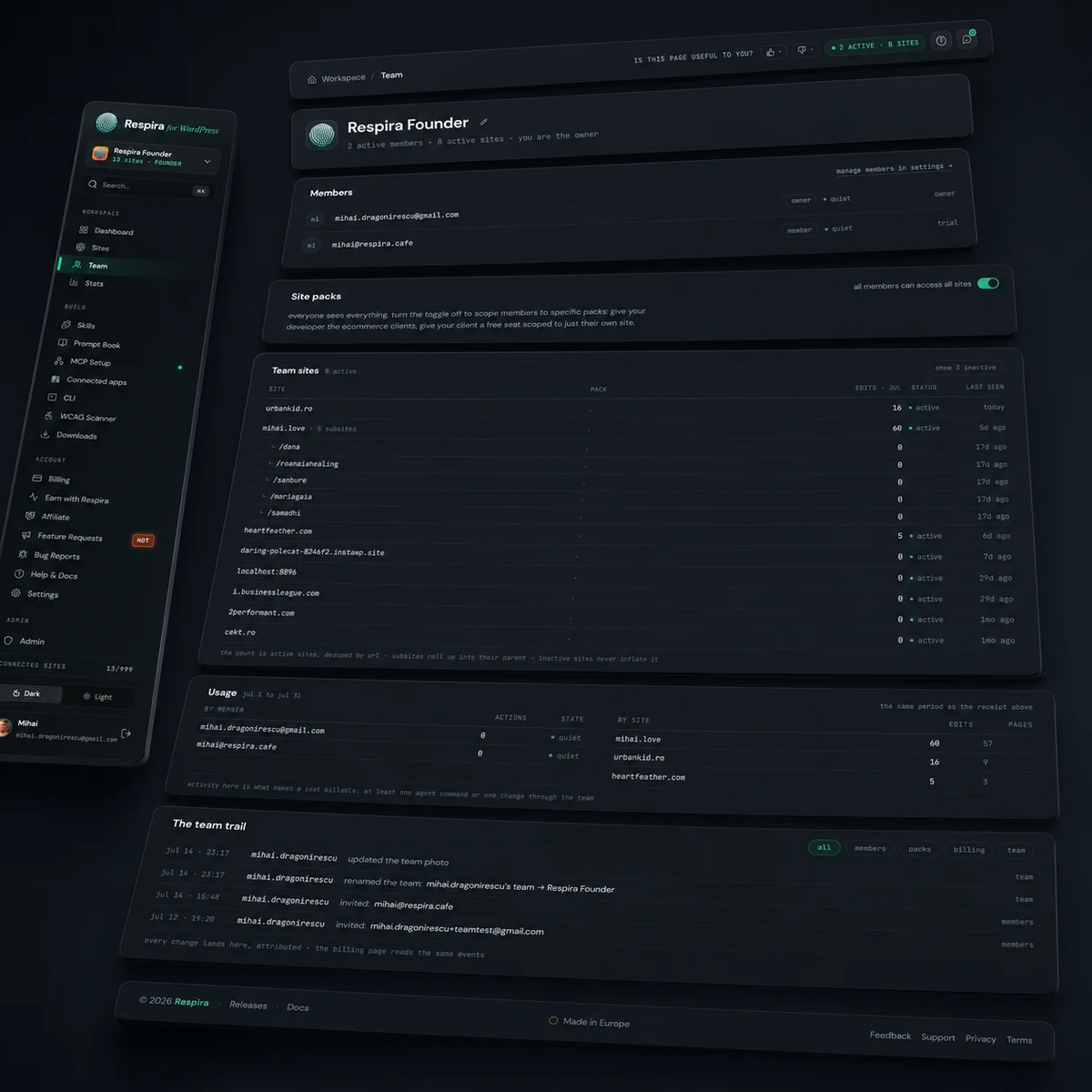
you pay for a seat in a month it did something
the definition is one sentence and it is published so it can be held against me: a seat is active in a month when that person ran at least one agent command or made at least one change through the team. that is the whole test.
- not active
- signing in, viewing your sites, reading the trail, opening a page to look at it. watching is free.
- quiet months
- cost nothing, and the person keeps every bit of the access they would have had. they cost you again in the month they act.
- the free slot
- goes to a client who was actually active, so a dormant row never leaves a working client paying for it.
- invites
- cost nothing until they are accepted. invite as widely as you like.
- the charge
- monthly, in arrears, prorated by the days a seat was active. a receipt for a month that already happened, not a charge for time you have not used.
the whole policy, including what happens if you choose nothing when the free window ends, lives on the fair billing page. nothing starts billing without an explicit yes from the owner.
your first 30 days with a team are free
unlimited seats, free, for 30 days on every paid plan. the clock starts the moment you send your first invite, so the window is 30 days of actually having a team rather than 30 days of meaning to build one. the start date is recorded once and never reset.
on Maker your team is you plus one free client seat, and that cap holds through the window too, so nothing changes on you at the end of it.
what a seat costs
a plan buys your sites. a seat is what you add when another person works alongside you. flat at any team size, no volume brackets, no annual seat to buy up front.
- owner free always, on every plan
- your first client free one per plan, read-only, pinned to the sites you pick
- every client after that €3 / mo the cheapest seat, because a client can only read
- editor €5 / mo from the first one. an editor can change a site, so there is no free one
- admin €10 / mo from the first one. an admin sees every site and manages people
- paid seats
- Builder and above. an editor, an admin or a second client needs a plan that can carry them.
- Maker
- you plus one free client seat, and nothing billable. the client handoff seat, on a one site plan.
- site packs
- Builder and up, the same floor as paid seats. pinning a client to their own sites works on every plan that can hold a seat.
questions
how do I give a client access to my WordPress site without handing over an admin login?
Invite them as a client seat. A client is read-only and pinned to the sites you name, so they see their own site, the work happening on it, and nothing else on your account. There is no wp-admin password to share, no user to remember to delete later, and no way for that seat to reach a site you did not pin it to. Your first client seat is free on every plan.
can someone have access to one site and not the others?
Yes, and that is the normal case rather than an upgrade. A client is pinned directly to specific sites on the invite. An editor is scoped through site packs: you group sites into a pack and grant the pack, so a contractor sees the four sites they work on and none of the rest. Owners and admins are the only seats that always see everything.
what is the difference between an admin, an editor and a client seat?
Reach. An admin sees every site on the account and manages the people on it. An editor has full read and write, but only on the sites you scoped to them. A client can read, and only on the sites you pinned them to. The owner is the one seat above all three, and the only one who controls billing.
does the scoping apply to their AI agent too, or only to the dashboard?
To the agent. The WordPress plugin asks Respira what a member's connection is allowed to reach before it honors a call, and it honors the answer. A read-only seat comes back capped to reads, so that person's agent cannot write even when it is asked to. A site outside their scope comes back refused. The access level is enforcement, not an interface state.
how does an agency give each client access to only their own site?
One team, one account, one bill. Put each client on a client seat pinned to their own site, and put your developers on editor seats scoped to the site packs they work in. Every change in the activity log then carries the name of the person who made it, and each client only ever sees their own site.
do I have to create WordPress user accounts for my team?
No. A seat is a Respira seat: the person connects their own AI through their own connection, and their reach is decided by the seat, not by a WordPress role you have to keep in sync across every site. That is also why offboarding is one action instead of a pass over your whole fleet.
what happens when someone leaves the team?
You remove the seat, and only that person's access dies. Their own connections to the team's sites are revoked; the site connections your team relies on are never touched, and nobody else is interrupted. The plugin picks the change up within about a minute.
what does a team seat cost?
The owner is free and one client seat is free on every plan. After that a client is €3 a month, an editor is €5 a month from the first one, and an admin is €10 a month from the first one, flat at any team size. A seat only bills in a month that person actually ran an agent command or changed something. Quiet months cost nothing.
which plan do I need for team seats and site packs?
Every plan that can add a teammate carries the team surface. Paid seats of any kind start on Builder; on Maker your team is you plus one free client seat and nothing billable, so there is no cliff waiting at the end of the free window. Site packs are available on Builder and up, the same floor as paid seats. Your first 30 days with a team are free, on every paid plan.


